How do I activate Office 2021 Professional Plus on five different computers?
You install Office on each PC separately and activate each one from inside Word using the method described in our delivery email, assigning one of the five seats to each machine. The email arrives shortly after payment and states clearly whether you have five individual 25-character keys or one key valid for five activations, along with instructions written for that case. Start by making a simple list: PC name, user, key used. Then take the first computer, install Office from our link, open Word, and either paste the key or sign in as instructed. Check File, Account for Product Activated with Microsoft Office Professional Plus 2021 underneath. Repeat on the next machine. Each activation contacts Microsoft's servers and takes a few seconds, and there is no requirement to do all five on the same day; you can activate three now and two next month when the new laptops arrive. If a PC reports that a key has already been used, consult your list first, because in nine cases out of ten a key was entered on the wrong machine. If it is genuinely stuck, send our 24/7 support team a screenshot and tell us which seat number is affected, and we will fix it or issue a replacement for that seat without touching the others.
Some of our PCs already have Office 2016 or a Microsoft 365 trial. What do we do first?
Remove the existing Office from each PC before installing Office 2021, because two licensed Office versions on one Windows machine conflict and produce unlicensed product banners. Go to Settings, Apps, Installed apps, uninstall the old Office or Microsoft 365 entry, and restart. If an installation refuses to leave cleanly, Microsoft's free Office removal tool takes care of it. No documents are lost in this process; files live in Documents or the cloud, not in the Office program folder, and Office 2021 opens everything created in 2010, 2013, 2016 or 2019. Custom templates, Excel personal macro workbooks, Outlook signatures and AutoCorrect entries sit in each user's Windows profile and reappear once 2021 is installed. Outlook needs one precaution per PC: if a user has POP accounts or local .pst archives, note where the files are so you can reattach them with File, Open and Export. In a small office it is easiest to do the whole swap on one machine end to end, confirm everything works, then repeat the same steps on the other four. If a machine is running a genuine Office 2021 trial already, you may be able to activate it directly with your seat instead of reinstalling; our support team can confirm which applies. Allow roughly twenty minutes per PC including the download.
Is a 5 PC Office license a volume license, and does that change how it works for a small business?
Professional Plus is Microsoft's volume-channel edition of Office 2021, and buying five seats of it is, in effect, a small volume purchase; what it changes for you is very little beyond having a single invoice. Retail Office is the boxed product tied to a personal Microsoft account. OEM Office comes preloaded on a new computer and stays with that computer. Professional Plus has never been sold in retail boxes; it is the edition businesses deploy, and resellers like us are where small operations without a corporate agreement can get it. Each of your five seats obeys the same rules as a single key: one computer per activation, unlimited reinstalls on that computer, and no transfer to a different computer. For your records, keep our order email as the proof of purchase for all five machines and note which seat went where, which is exactly what an IT department would do with a volume deployment. The software itself is identical to any other Office 2021 installation, updated from the same Microsoft servers. Businesses that grow beyond a dozen or so machines may eventually prefer a formal Microsoft agreement with central management, but for two to ten PCs a five-pack or two is the simpler and far cheaper route.
Do all five PCs have to be in the same place, and can I use the seats over time?
No, the five computers can be anywhere, and you can activate them whenever you like, because each seat is independent and is not tied to a location, a network or a deadline. A family can put one seat on the study desktop, two on student laptops that live at college in another state, and keep two spare for the next machines. A business can cover the main office, a home worker and a laptop that travels. There is no requirement for the PCs to belong to the same person or the same Microsoft account, although keeping a note of who has which seat is wise. Seats do not expire unused; if you only have three computers today, the remaining two wait in your email until you need them, whether that is next week or in two years. What you cannot do is stretch a seat across two machines, so five seats means five computers, not five people who each own a desktop and a laptop. If your count grows past five, add a second set or single keys; mixing them is fine because the software is the same. Should you later replace one of the five machines, contact support about that specific seat, since a seat is meant for the computer it was activated on rather than for a rolling fleet.
What happens if one of the five keys does not activate? Do you refund the whole order?
If a seat fails to activate and our team cannot fix it, we replace that seat, and if a replacement fails as well we refund; the other four seats keep working throughout, so an issue with one never disrupts the rest of your office. Digital licenses cannot be returned for a change of mind once revealed, but we take responsibility for every seat doing its job. In practice, most failures on a multi-PC order come from a key being entered on two machines by mistake, an old Office still installed on one PC, a typo, or a firewall on the office network blocking the activation servers. Our first reply checks for those, which is why we ask which PC is affected, what the exact message says and for a screenshot of File, Account. If the seat itself is faulty, a replacement goes out in the same conversation, usually within the hour. To make a claim, reply to your order email or open live chat with your order number and the seat in question. Please contact us before opening a dispute with PayPal or your card provider; a dispute freezes the entire order including the working seats and adds days, while a direct message gets the one machine sorted quickly. We are available 24/7.
How is a 5 PC order delivered, and how long does it take?
The whole set is delivered in a single email, normally within a few minutes of payment confirmation, with nothing shipped physically. The email lists your five seats, either as five product keys on separate lines or as one key with five activations, and states which arrangement applies. It also contains the download link for the official Office 2021 installer, activation instructions written for this license type, and how to reach our 24/7 support team. Because you will be handling five activations, we recommend forwarding the email to whoever manages the computers and saving a copy in a password manager or a shared document, along with your list of which seat went to which machine. Delays are rare and usually come down to a payment held for review or a mistyped email address at checkout. If nothing arrives within half an hour, check spam and search for OfficeGSM; then contact us with the order number and we will resend to a corrected address. Nothing expires while you wait, and the installer can be downloaded once and copied to a USB drive to save bandwidth across five machines. If you ever lose the email, we keep order records for years and can resend it on request. If two people in the office need the email, forward it once rather than ordering twice.
Can different PCs in the set use 32-bit and 64-bit Office?
Yes, each of the five computers chooses its own architecture in the installer, and the license is identical for both, so a mixed setup is completely fine. In practice you should pick 64-bit everywhere unless a specific machine has a reason not to. Windows 11 exists only in 64-bit, and 64-bit Office handles large Excel workbooks, Access databases and heavy PowerPoint files with far more memory headroom. The one legitimate reason for 32-bit is a legacy dependency on one particular PC, for example an old accounting add-in, a lab or point-of-sale integration, or an Access application built with 32-bit ActiveX controls. If the bookkeeper's computer needs 32-bit for that reason, install 32-bit there and 64-bit on the other four; documents pass between them without any conversion. To check what an existing installation is, open any Office app and go to File, Account, About. If a machine ends up with the wrong build, uninstall Office on that PC, rerun the installer with the other option and reactivate with the same seat; the same computer and the same product means the activation is accepted again. ARM-based Windows laptops require the 64-bit build, which runs under emulation on Windows 11 on ARM. Our support team can confirm the right build for a particular machine if you send a screenshot of its About page.
Can we upgrade our existing Office 2016 or 2019 PCs to 2021 with this, and does it cover Office 2024 later?
Yes to the first part: each seat is a full Office 2021 Professional Plus license, so any of your PCs currently running Office 2010, 2013, 2016 or 2019 can be moved to 2021 by uninstalling the old suite and installing the new one. Microsoft does not offer upgrade discounts for perpetual Office, so there is no separate upgrade product and the five-pack is the cheapest way to move five machines at once. File formats have been stable since Office 2007, so existing .docx, .xlsx and .pptx files open unchanged, and your templates, macros and Outlook signatures survive because they live in the Windows user profile. No to the second part: the seats are specific to Office 2021 and will not activate Office 2024 or any later version, nor will they activate 2019 if you wanted to go back. Perpetual licenses are for one version, full stop. If you later decide the longer 2029 support window of Office 2024 matters for some machines, those would be separate purchases, and you can mix versions in one office because the files are compatible. For many small offices, though, 2021 with Publisher and Access is the destination rather than a step along the way. Keep the old and new keys together in your records so each machine has a clear license history.
One of our five PCs died and we replaced it. Can we move that seat to the new computer?
A replaced computer or a new motherboard counts as a new PC, and a seat is meant for the machine it was activated on, so please contact our support team about that specific seat before assuming it will or will not move. Office activation ties itself to a hardware fingerprint dominated by the motherboard. Replacing a drive, memory, graphics card or power supply on the same machine changes nothing, and reinstalling Windows on the same board is fine. A like-for-like motherboard replacement under warranty on the same PC sometimes reactivates without incident once Windows is reactivated; a completely new computer usually will not. When it happens, tell us which seat is affected and what changed. We will be honest about what is possible, and where the seat cannot follow, the practical answer is a single replacement key for the new machine, which costs less than a takeaway lunch and leaves your other four seats untouched. Please do not simply try the old key on the new hardware repeatedly, as multiple failed attempts can put a temporary hold on it. Keeping your PC-to-seat list current makes this conversation quick, because we can see immediately which activation you are talking about. If the failed PC was under warranty, a note of the repair date helps us too.
Do we need a Microsoft account for each of the five PCs?
You need Microsoft accounts only if the activation instructions in your email use the sign-in method; if they use direct key entry, accounts are optional on every machine. Office 2021 supports both routes and our email states which applies to your seats. If sign-in is used, each PC can be activated with its own account, or several machines can use one account, depending on how the instructions are written, so read them before starting. A Microsoft account is free and can be created with any email address, including your company domain. After activation a user may sign out and keep working; the activation persists. Staying signed in offers a few conveniences, such as recent file lists syncing between apps and OneDrive appearing in the Save dialog, but nothing essential to a small office that stores files on a shared drive or a NAS. When setting up PCs for staff, prefer accounts the business controls rather than an individual employee's personal account, so that a departure does not complicate a future reinstall. If your organization uses Entra ID logins, the prompt behaves slightly differently and our instructions and support team cover that scenario too. In no case does an account convert one seat into a multi-device license; five seats remain five PCs.
Do all five installations get updates, and until when?
Yes, every one of the five installations receives Microsoft's security and reliability updates until October 13, 2026, at no additional cost and with no per-seat management on your part. Updates come through the Office updater on each PC rather than through Windows Update, so make sure Update Options under File, Account is set to Enable Updates on all five machines, and use Update Now after each fresh install to bring it current. Office 2021 does not receive new features; it is a fixed release, which many offices prefer because staff are not retrained every month. Copilot and other AI features belong to Microsoft 365 and will not appear. After October 2026 all five installations continue to work indefinitely without further patches. Whether that is acceptable depends on the role of each machine: a workstation editing internal spreadsheets is low risk, while a reception PC that opens attachments from the public all day deserves either careful mail filtering or a move to a newer version at that point. Publisher is retired by Microsoft in 2026 as well, though the installed app keeps running. If an update ever misbehaves on one PC, the same Account page lets you pause updates or roll that machine back to the previous build while the others carry on.
What is the difference between this 5 PC license and buying five single Office 2021 keys, or Office 2024?
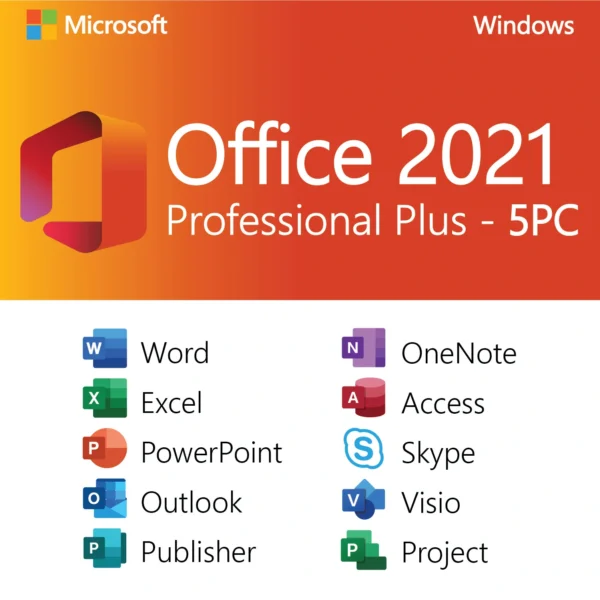
The software in the five-pack is identical to our single Office 2021 Professional Plus key; the differences are price, paperwork and how the seats are presented. Five singles bought separately cost more in total and arrive as five orders with five receipts. The five-pack costs $24.99 for all five seats, arrives as one email and one invoice, and is easier to hand to an accountant or an IT person. Every seat still follows the one-PC rule and reinstalls freely on its own machine. Compared with Office 2024 Professional Plus, the 2021 pack includes Publisher, which 2024 dropped, and it is supported until October 13, 2026 rather than October 9, 2029. Our Office 2024 editions are sold per PC, so a five-desk office on 2024 pays per seat, and Office LTSC 2024 Standard additionally leaves out Access and Publisher. So: three to five Windows machines that need the full suite including Publisher, on one invoice, at the lowest total cost, is this product. One machine you plan to keep for many years is Office 2024. A mix is perfectly workable, since all these versions share file formats, and many of our customers run a 2024 seat on the boss's new laptop alongside 2021 seats on the rest.
Can the five PCs be in different countries or use different languages?
Yes, the seats are not region locked and each PC can run Office 2021 in its own language, so a business with a head office in the United States and a colleague in Mexico or Poland can use seats from the same set. Activation goes through Microsoft's global servers and behaves the same everywhere. Each machine picks its display language in the installer, and additional interface and proofing languages can be added on any PC afterward under File, Options, Language, so one office can have English, Spanish and French installations from one order. Spell checking and grammar follow the editing languages each user enables; number formats, date order and currency symbols in Excel follow each PC's Windows regional settings under Time and language. The only region-related issue we encounter is network related: strict corporate proxies or certain national firewalls occasionally block the activation call, and activating once from a different connection, such as a phone hotspot, resolves it. Laptops that travel stay activated wherever they go, online or offline. Publisher and Access are included in every language edition, and files created in one language open normally in another, so a Spanish-language Excel workbook lands in an English Excel with formulas intact and only the interface differing.
How do we reinstall Office 2021 on one of the five PCs after a Windows reset?
Reinstalling on the same machine is fully covered: download the installer from the link in our email, run it on that PC, and reactivate with the seat originally assigned to it, and Microsoft's servers recognize the hardware and accept the activation without consuming another seat. This is where your PC-to-seat list pays off, because you activate with the same key the machine had before rather than a fresh one. Before the reset, back up that user's Documents, export any Outlook .pst archives, and note Publisher or Access files kept outside the usual folders. After Windows is back, let it finish its own updates, then install Office, activate, and run Update Now under File, Account. Upgrading a machine from Windows 10 to 11, swapping a failed hard drive for an SSD, or restoring a system image all count as the same PC. If the delivery email is gone, search the mailbox for OfficeGSM or the order number; failing that, message our support team with the purchase email address and we will look up the order and resend the full set. We keep records for years precisely because reinstalls happen long after purchase. Only a new motherboard or an entirely different computer changes things, and the replacement-PC question above explains how we handle that seat.


Jonathan Gray (verified owner) –
Amazing value for 5 PCs! Activated easily and runs very smoothly.
Peyton Bailey (verified owner) –
Best value I’ve found online. Activated on all my computers without any problems. The instructions were clear and customer support was quick to respond. Highly recommend.
Rachel Green (verified owner) –
Incredible price for 5 PCs. I installed Office on multiple workstations and every key activated successfully. Great for small businesses. Will definitely purchase more software here.
Andrew Anderson (verified owner) –
Fantastic value—five activations for one price. Installed on all my systems with no problems at all.
William Garcia (verified owner) –
Activated instantly and works great on older hardware. Very satisfied.