How do I activate Office LTSC 2024 Standard once I have the key?
You activate from inside any of the Office apps after installation, using the specific method our delivery email lays out for your key. The email arrives shortly after payment and contains the 25-character key, a link to the official Office LTSC 2024 installer and a numbered set of instructions. Install first. Then open Word, and a licensing prompt will appear on the first launch. Depending on the key type, you either paste the key into the Enter your product key field or sign in with the account our instructions specify. The check with Microsoft's servers takes a few seconds on a normal connection. Verify the result by going to File, then Account; the right-hand side should read Product Activated with Microsoft Office LTSC Standard 2024 beneath it. If instead you see a yellow or red banner, restart the app once before trying anything else, because the status display can lag. If an error code appears, resist the urge to hammer the retry button, since repeated failed attempts against Microsoft's servers can temporarily lock the key. Take a screenshot and send it to our support desk, which runs 24 hours a day. Nine times out of ten the fix is removing a leftover Office installation or correcting a typo, and we can walk you through either in a couple of messages.
My laptop came with a Microsoft 365 trial. Can I install Office LTSC 2024 over it?
Yes, but uninstall the Microsoft 365 trial before running the Office LTSC 2024 installer, otherwise the two will fight over which license owns the apps. Manufacturers preload a trial that nags you to subscribe; it uses the same click-to-run engine as LTSC 2024, and Windows will not let two copies of Excel with different licenses coexist cleanly. Head to Settings, Apps, Installed apps, find Microsoft 365 and remove it. If the entry refuses to go, Microsoft's free Office removal tool clears it out. Reboot, then run our installer. Nothing in your personal folders is affected: documents, spreadsheets, presentations and OneNote notebooks stay exactly where they were. If you used Outlook inside the trial with a POP or IMAP account, Outlook in LTSC 2024 will ask you to add the account again, and any local .pst archive can be reattached with File, Open and Export, Open Outlook Data File. Trials often leave the Office Start menu shortcuts pointing to the removed apps; they refresh once the new install completes. If you find the trial's icons still in the taskbar afterward, unpin them and pin the new ones. The whole swap normally takes twenty minutes including the download. If anything looks off afterward, a quick Online Repair from Settings, Apps, Microsoft Office LTSC, Modify usually sets it straight.
Is Office LTSC 2024 a volume license, and can a home user legitimately use it?
Office LTSC 2024 is Microsoft's volume-channel build, and a single activation key from that channel works exactly the same on a home PC as it does on a corporate desktop. The word volume describes how Microsoft distributes the edition, not who may sit in front of it. Retail Office is sold in boxes and download cards and bound to a personal Microsoft account. OEM Office comes preloaded by a PC maker and cannot leave that machine. LTSC has never been sold in a retail box, which is why home users typically meet it only through resellers like us. Once installed, there is no functional difference you would notice: same Word, same Excel, same update servers, same activation status page. What the volume origin does affect is the activation route, which is why our email carries instructions specific to this key rather than a generic sign-in guide. The license covers one PC, reinstalls on that PC are fine, and transfer to a second computer is not part of the deal. For a household with one desktop or one laptop that wants the classic Office experience without a subscription, LTSC 2024 Standard is a sensible, legitimate purchase, and it is what we install on our own office machines. Businesses with more than a handful of seats may prefer a formal volume agreement, but for one to five PCs single keys are the practical choice.
How many computers can I put Office LTSC 2024 Standard on with this key?
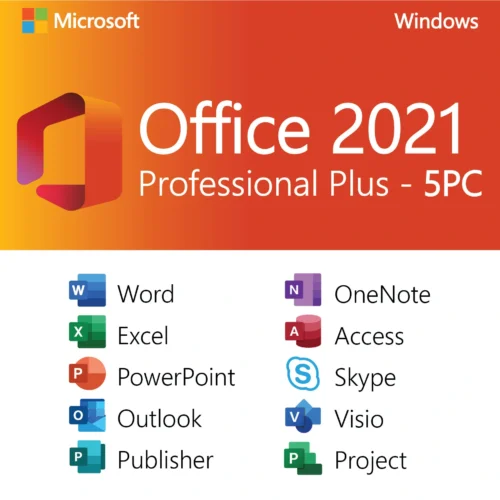
One. Each key on this listing activates Office LTSC 2024 Standard on a single Windows PC, and it is not a per-user or five-device license. That single PC can be a desktop, a laptop, or a virtual machine, but the license lives with that one installation. If your household has a desktop and a laptop, you will need two keys, and you can add two to the cart in one order so both arrive in the same email. For a small office of three to five machines you can either order several keys or look at our five-PC Office 2021 listing, which is the multi-device option in the Professional Plus family. Within your one machine you have full flexibility: reinstall Windows, replace the SSD, upgrade from Windows 10 to 11, or set up a second user account on the same computer; all of those keep the same activation. What does not work is activating a second machine with the same key. Microsoft's servers will reject it with a message that the key has already been redeemed, and repeated attempts risk a block on the key. If several people share one computer, that counts as one PC and needs one license, regardless of how many Windows profiles exist on it.
What if the key does not work? Do you refund?
If the key fails to activate and our support team cannot get it working, we replace the key, and if the replacement fails too, we refund you. That is the entire policy. Digital keys are revealed the moment they are delivered, so like a scratched-off gift card they cannot be returned for a change of mind, but we take full responsibility for the key doing its job. In practice most non-activating keys are not faulty keys at all. A leftover Office install, a key typed with a wrong letter, a corporate firewall blocking Microsoft's activation servers, or a Windows date set incorrectly can all produce an activation failure that looks like a bad key. Our team checks for those first, which is why we ask for a screenshot of the error and of the File, Account page. When the key itself is at fault, a new one goes out immediately, usually within the same conversation. To claim, reply to your order confirmation or open a live chat with your order number. Please reach out to us before filing a dispute with PayPal or your card issuer, because a dispute locks the order and slows everything down, while a direct message to us gets you activated the same day in most cases.
When will I receive the license, and what does the email include?
Most orders are delivered by email within a few minutes of payment confirmation, around the clock, with nothing physical shipped. The message includes your Office LTSC 2024 Standard product key, the download link for the official installer, activation instructions written for this exact key, and how to reach our 24/7 support team. Delays are uncommon but do happen for two reasons: a payment held for review by the processor, or a typo in the email address entered at checkout. If half an hour passes without the email, look in your spam and promotions folders and search your mailbox for OfficeGSM. Still nothing? Contact us with the order number or the name on the payment and we will resend to a corrected address. We suggest storing the email somewhere permanent, for example a note in your password manager, because you will want the key again when you reinstall Windows a few years from now. Even if you lose the email, we can look up your order, and the installer link points to Microsoft's own download so it can be fetched again at any time. If you ordered several keys for several PCs, they are listed individually in the same email; use one per machine and note which went where.
Do I need the 64-bit or 32-bit Office LTSC 2024 installer?
Use the 64-bit installer, which is the default and the correct choice for practically every Windows 10 and Windows 11 PC in use today. Windows 11 exists only in 64-bit, and 64-bit Office can address far more memory, so large Excel models and long PowerPoint decks run more comfortably. The product key is identical for both architectures; the choice is made in the installer, not at purchase. The one scenario that still calls for 32-bit Office is a legacy add-in or macro project compiled for 32-bit that your business depends on, typically an old accounting connector, a lab instrument export tool or a Visual Basic form using 32-bit controls. If your IT department has told you to stay on 32-bit, follow that advice. To see what you have now, open any current Office app, go to File, Account, About, and the first line names the architecture. Chose the wrong one? Uninstall, run the installer again and pick the other option. The key activates on the same computer again without complaint because the machine and the product are unchanged. Note that 32-bit Office does not run on ARM-based Windows laptops; those need the 64-bit build, which runs under emulation on Windows 11 on ARM. Our support team can confirm which build your machine should use if you send us a screenshot of the About page.
Can I move from Office 2016 or 2019 to LTSC 2024, and will this key cover the next Office version?
This key is a complete license for Office LTSC 2024 Standard, so you can install it on a PC that previously ran Office 2013, 2016, 2019 or 2021 by removing the old suite and installing the new one. Microsoft does not sell discounted upgrade licenses for perpetual Office, so every buyer pays the same, and at this price that is hardly a burden. Your files need no conversion: the .docx, .xlsx and .pptx formats have been stable since 2007, and 2024 opens documents created in any of those versions. Personal templates in the Custom Office Templates folder, your Excel personal macro workbook and Outlook signatures all live in your user profile and survive the changeover. Going forward, the key is specific to the 2024 release. It will not activate 2021 or 2019 if you decide to go back, and it will not carry over to whatever Microsoft releases next, because perpetual licenses are for one version only. With support running through October 2029, though, there is no pressure to move; many people run a perpetual Office for the whole life of the computer. When the successor arrives you can judge on its merits whether it is worth another small purchase. Keep the old key and this one in the same note so you always know which license belongs to which machine.
Will my license survive a motherboard replacement or a move to a new PC?
A new motherboard or a new computer is treated as a new device, and this single-PC license is not designed to move with you, so please talk to our support team before you assume anything. Office activation ties itself to a hardware fingerprint in which the motherboard weighs heavily. Swapping RAM, a graphics card, a drive or a power supply changes nothing. Replacing a failed board with the identical model under warranty on the same PC sometimes reactivates without fuss once Windows itself is reactivated; moving to a completely different machine usually does not. If you are planning a hardware change, keep the key email handy and tell us in advance what you are doing. We will be honest about what is possible and, where it is not, the practical answer is a second key for the second machine. Because a key costs about the same as a takeaway lunch, most customers find that far less painful than an afternoon of activation troubleshooting. What we cannot do is promise that a key will transfer, because the decision sits with Microsoft's activation servers rather than with us. Reinstalling Windows on the same board, upgrading Windows 10 to 11, or restoring from a backup image on the same machine are all fine and need no new key.
Do I have to have a Microsoft account for Office LTSC 2024 Standard?
Only if the activation instructions in your email tell you to sign in; if they say to enter the key directly, a Microsoft account is optional. LTSC editions have traditionally activated with a key alone, which is one reason businesses like them, but Microsoft increasingly steers even perpetual Office toward account sign-in, so the prompt may appear. A Microsoft account is free and can be created with any existing email address, work or personal. Having one signed in brings small conveniences: your recent documents list syncs between apps, OneDrive shows up in the Save dialog, and the app remembers your license if you reinstall later. You can sign out after activation and keep using Office with no account attached if you prefer that, and the activation stays valid. When setting up a computer for someone else, use an account they control so the license is not tied to you. If the PC is part of a business with company logins through Entra ID, the sign-in screen looks slightly different and our instructions cover that too. Whatever route you take, the key remains one PC, and the account, if used, is simply the place where that activation is recorded rather than a second license in itself.
Does Office LTSC 2024 get updates, and what kind?
Yes, Office LTSC 2024 Standard receives security updates and bug fixes from Microsoft until October 9, 2029, and those updates are included in the license at no cost. They arrive through Office's own update mechanism rather than Windows Update, so keep Update Options on Enable Updates under File, Account. Office checks in the background, downloads quietly and applies patches when you next close and reopen the apps; you can also press Update Now whenever you want to check manually. The kind of update you receive is the key difference from Microsoft 365. LTSC gets security and reliability fixes only; the feature set is frozen at what shipped in 2024. Subscribers get new buttons, new Excel functions and interface redesigns every month, which some people enjoy and others find disruptive. LTSC users get the same Office in year five that they learned in year one. Copilot and the AI features are not part of the perpetual builds and will not appear later. After October 2029 the apps continue working, saving and printing normally; they simply stop receiving patches, at which point you can weigh moving to a newer version. If an update ever misbehaves, the Account page also lets you disable updates temporarily or roll back to the previous build.
Office LTSC 2024 Standard vs Professional Plus vs Office 2021: what is the actual difference?
Standard and Professional Plus 2024 differ by exactly one app, Access, while Office 2021 differs mainly in its shorter support life and its inclusion of Publisher. Office LTSC 2024 Standard gives you Word, Excel, PowerPoint, Outlook and OneNote. Office 2024 Professional Plus adds Microsoft Access, the desktop database, and costs slightly more. Both are supported to October 9, 2029, share the same installer family and behave identically in every shared app. Office 2021 Professional Plus includes Word, Excel, PowerPoint, Outlook, OneNote, Access and Publisher, but Microsoft ends support for all of Office 2021 on October 13, 2026, so you would get about a year of patches from today. Publisher does not exist in any 2024 edition and is being retired in 2026. Practically, the decision tree is short. Need a database? Pro Plus 2024. Need Publisher? Office 2021 Pro Plus, and accept the shorter runway. Need neither? LTSC 2024 Standard is the cheapest current option with the longest support. Feature-wise, 2024 over 2021 brings improved performance, a refreshed default theme, newer Excel functions and a modernized Outlook, none of which is essential but all of which is welcome. On a Mac none of these apply; the Mac editions are separate products. If you cannot decide, tell our support team what you actually do in Office and we will point you to the edition that fits.
Is the key region locked, and can I use Office in a language other than English?
The key is not region locked, and Office LTSC 2024 installs and activates in any supported language regardless of where you are. We deliver to customers on every continent and the activation goes through Microsoft's global servers, so a buyer in Toronto, Dubai or Manila follows the same steps as one in Texas. Language is chosen at install time from the installer's language menu, and you can add more languages later through File, Options, Language, so a bilingual household can run a Spanish interface for one user and English for another on the same PC. Proofing tools, thesaurus and grammar checking follow the editing languages you enable, not anything in the license. Excel's number formats, date order and currency symbol come from your Windows regional settings, which you adjust under Time and language in Windows Settings. The one region-related wrinkle we see is network related rather than license related: very strict corporate proxies or some national firewalls occasionally block the activation call. Activating for that one minute from a home connection or a mobile hotspot solves it. If you travel with the laptop, nothing changes; an activated Office stays activated wherever you open it, online or offline. The same applies to keyboard layouts: Office follows whatever Windows is set to, so a Turkish or Arabic keyboard works out of the box.
How do I reinstall Office LTSC 2024 after a Windows reset on the same PC?
Reinstalling on the same computer is fully covered by your license: download the installer from the link in your email, run it, then activate with the same key or account you used the first time. Microsoft's servers recognize the hardware and accept the reactivation because it is the same device. Before you reset Windows, copy your documents to an external drive or the cloud, export any Outlook .pst archives, and note your email account settings if you use POP or IMAP. Once Windows is reinstalled, let it finish its own updates, then install Office, activate, and run Update Now under File, Account so you are on the current security build. Moving from Windows 10 to Windows 11 on the same machine, restoring a backup image, or replacing a failed hard drive all count as the same PC and need no new key. If the email with your key has gone missing, search your mailbox for OfficeGSM or the order number; failing that, message our support team with the address you used at checkout and we will look the order up and resend it. We keep order records for years precisely because reinstalls happen long after purchase. Only a different computer or a new motherboard changes the situation, and the hardware question above covers that case.


Matthew Mitchell (verified owner) –
Installation instructions were clear. Took a restart to finish activation, but everything works now.
Aiden Turner (verified owner) –
This saved me a lot of money compared to Microsoft’s pricing. Lifetime license and no recurring fees.
Jack Brown (verified owner) –
Professional service from start to finish. Office 2024 LTSC activated and verified successfully.
Lucas Nelson (verified owner) –
Solid purchase. Support answered my email within a few hours and helped me complete activation.
Matthew Gonzalez (verified owner) –
Very satisfied. The product key is valid, and the installation link provided worked without errors.