Are the Windows 11 Pro and Office 2024 keys in this bundle separate, and which one do I use first?
They are two separate product keys, and the Windows 11 Pro key is always used first, because Office needs a running operating system to install on. Windows and Office are licensed by two different Microsoft systems, so there is no combined key. Our delivery email shows them under two headings, "Windows 11 Pro key" and "Office 2024 Professional Plus key", each a 25-character code in five blocks. Enter the Windows key during Windows Setup, or in Settings, System, Activation if Windows is already installed. Once Windows is activated, download and run the Office 2024 installer, open Word, click "Enter a product key instead" on the activation screen, type the Office key, and sign in with a Microsoft account so the license is recorded on it. After that, the two licenses live in different places: the Windows license is a digital license tied to the PC's motherboard, while the Office license is attached to your Microsoft account. That is why a future Windows reinstall reactivates on its own and a future Office reinstall comes from your account page, usually with no key typing at all. Keep the email or store both keys in a password manager anyway, and if you ever lose them, our support team can look up the order and resend.
Can I install Office 2024 Professional Plus from this bundle on a second PC or a Mac?
No, the Office 2024 Professional Plus key covers one Windows PC, and Professional Plus is not available for macOS, so it cannot be installed on a Mac. The Windows 11 Pro key is likewise for one PC. If a second computer needs Office, the practical options are a second copy of this bundle when that machine also needs Windows, or a standalone Office 2024 Professional Plus key from our Office 2024 category when it already has Windows. For a Mac, Microsoft sells Office 2024 in Home and Business or Home and Student form; we currently list Office 2021 Home and Business for Mac, which includes Word, Excel, PowerPoint, Outlook and OneNote for macOS. Entering the same Office key on two PCs does not work as a shortcut. The first activation binds the license to your Microsoft account and that machine; a second attempt is refused, or works briefly and then one installation drops into reduced functionality with a red "Product Activation Failed" banner. A key used against its terms cannot be replaced under our guarantee. Moving Office to a replacement PC after retiring the old one is allowed and is explained in the question about transferring the licenses. If you are unsure which product fits your second machine, ask our support team before ordering and we will point you to the right listing.
Is the Windows key retail or OEM, and can I move both licenses to a new PC later?
The Windows 11 Pro key is a retail-type license and the Office 2024 license is a one-PC perpetual license tied to your Microsoft account; both may be moved to a replacement PC once you stop using them on the old one. For Windows, remove the key from the old machine by running slmgr /upk in an administrator command prompt, install Windows 11 Pro on the new PC and enter the same key. If Microsoft's servers say it is in use, sign in with the Microsoft account you linked and use the Activation troubleshooter, choosing "I changed hardware on this device recently", then pick the old device. An OEM key would be permanently locked to the first motherboard; this one is not. For Office 2024, uninstall it from the old PC, then on the new one visit the Microsoft account services page, find Office Professional Plus 2024 under your products, click Install, and sign in inside Word. If the account page reports that the install limit has been reached, our support team can help you reset it. Both licenses are for one active PC at a time; running either on two machines at once violates the terms and eventually causes an activation failure. Done in order, the whole move takes under an hour.
How fast is delivery, and what exactly does the email contain?
Both keys arrive by email, normally within a few minutes of payment, at any hour including weekends. The email holds the Windows 11 Pro product key, the Office 2024 Professional Plus product key, a link to Microsoft's official Windows 11 download page, a link to the Office 2024 installer, and our written guide that covers the order of installation and both activation screens. Nothing is shipped physically. If your inbox is empty after fifteen minutes, check the spam and promotions folders, then log in to your account on our site, where the keys are also shown on the order page. Occasionally a card payment is held for a short fraud review by the payment processor; the email is sent automatically the moment that clears, usually within the hour. If you notice the email address on the order was mistyped, message our support team with the order number and the correct address and we will update it and resend. Because this bundle has two keys and you may not install Office on the same day as Windows, we suggest saving the email as a PDF or forwarding it to a second inbox. Our support team is available 24/7 and can resend keys to verified buyers at any time.
Does the bundle support my language, and is Office 2024 64-bit or 32-bit?
Both products install in any language Microsoft offers, and Office 2024 installs as 64-bit by default with a 32-bit option available; the keys work with all of them. Windows 11 Pro is 64-bit only. Choose the Windows language when you download the ISO or run the Media Creation Tool, and add more display languages later from Settings, Time and Language. For Office 2024, the installer lets you select the language, and further language accessory packs with proofing tools can be added free from Microsoft's site. Neither key is region locked, so a Spanish Windows with an English Office, or a machine that switches between languages for different users, is fine. On architecture, Microsoft made 64-bit the default for Office 2024, and we recommend keeping it: large Excel models, big Access databases and modern add-ins all work better in 64-bit, and Windows 11 itself is 64-bit. The 32-bit build exists only for people who depend on an old add-in with no 64-bit version. One Office key covers both builds, so if you ever need to switch, uninstall one and install the other without contacting anyone. If you are not sure which build is installed, check File, Account, About Word. Our support team can also confirm the right build for a specific add-in if you describe what you use.
What happens to the two licenses if I replace the motherboard?
The Windows 11 Pro license must be reactivated after a motherboard change, while the Office 2024 license is unaffected because it lives on your Microsoft account rather than on the hardware. Windows records its digital license against a hardware fingerprint mostly derived from the motherboard, so a new board looks like a new PC and Settings shows "Windows is not activated", often with error 0xC004F211. Because the key is retail-type, reactivation is your right. If you signed in with a Microsoft account before the swap, open Settings, System, Activation, click Troubleshoot, choose "I changed hardware on this device recently", sign in, and select the device from the list. If you did not, enter the Windows key from our email on the Activation page, which works in most cases. Office 2024 simply carries on; when Word first opens on the new hardware it may ask you to sign in again, and after you do it shows "Product Activated" as before. If the repair included a fresh Windows installation, reinstall Office from your Microsoft account's services page or from the link in our email and sign in. Changing the CPU, RAM, GPU or drives does not affect either license, so upgrade those parts freely.
Do I need a Microsoft account for Windows 11 Pro and for Office 2024 in this bundle?
Windows 11 Pro does not need a Microsoft account, but Office 2024 Professional Plus does need one at activation, because that is where Microsoft stores the Office license. With Windows, the Pro edition offers "Sign-in options" and "Domain join instead" during Setup, so you can create a local account, and the product key activates directly with Microsoft without any sign-in. With Office, after you enter the product key in Word the wizard asks you to sign in or create a Microsoft account. It takes about a minute and it is worth doing properly, because the Office license attaches to that account for good: on every future reinstall you go to the account's services page, click Install, and Office arrives already licensed. Any free Outlook.com or Hotmail address will do, it does not have to match the account used in Windows, and you can keep using a local account in Windows afterwards. Small businesses often create one Microsoft account per PC purely to hold the Office license while Windows logins stay on the company domain. We also suggest signing in to Windows once so its license is linked to an account, which makes hardware changes simple to recover from, then switching back to a local account if you prefer.
How long does each product in the bundle receive updates, and is there any renewal fee?
Windows 11 Pro receives updates indefinitely and Office 2024 receives security updates until October 9, 2029; there is no renewal fee for either, ever. Windows Update supplies monthly cumulative updates and one feature update a year (24H2 currently, 25H2 rolling out), with each feature update on Pro supported for 36 months, so the operating system stays in support for the life of the PC. Office 2024 follows Microsoft's five-year policy for one-time-purchase suites, receiving security and stability fixes through File, Account, Update Options. In October 2029 those updates stop, but Word, Excel, Outlook, PowerPoint, OneNote and Access keep opening, editing and saving exactly as before, and the license never expires; Office 2016 and 2019 behave the same way today after their own end of support. Office 2024 does not receive new features over time the way Microsoft 365 does; its feature set is fixed at what shipped, which many businesses prefer because nothing changes underneath their staff. Compared with the Office 2021 bundle, you gain three extra years of patches. Neither product will ever ask you for a payment to keep working, and there is no account subscription to maintain. In practice you install once, let both updaters run in the background, and forget about licensing for the life of the machine, which is exactly the point of a perpetual bundle.
Is Office 2024 Professional Plus really better than Office 2021 for the higher bundle price?
For most buyers the honest answer is that Office 2024 is worth the modest difference mainly for its three extra years of security updates, with the new features a welcome bonus rather than the reason to buy. Office 2024 is supported until October 9, 2029, Office 2021 until October 13, 2026. If you are setting up a PC you expect to keep past 2026, that alone justifies choosing 2024. On features, Excel 2024 adds functions such as TEXTSPLIT, GROUPBY, PIVOTBY, IMAGE and a set of dynamic array improvements, plus better performance on large workbooks. Word, PowerPoint and Outlook get the refreshed Fluent interface, improved dark mode, a better accessibility checker, and cameo and recording improvements in PowerPoint. Outlook 2024 is still the classic desktop client, which many people prefer. What you lose versus 2021 is Publisher, which Microsoft is retiring, and the bundled Teams client, which can be downloaded free anyway. If your use is light, Word and Excel for letters and household budgets, our Windows 11 Pro and Office 2021 bundle is the cheaper route and perfectly adequate until 2026. If the PC is for work or you simply want the longest runway, pick this bundle. Either way, both keys in either bundle are genuine and both come with the same support from our team.
What is the difference between Office 2024 Professional Plus and Office LTSC 2024 Standard?
Office 2024 Professional Plus includes Access and is the full edition; Office LTSC 2024 Standard is the volume-licensing edition that leaves Access out. Both share Word, Excel, PowerPoint, Outlook and OneNote, and the versions of those apps are identical, so a spreadsheet looks and behaves the same in either. Access is Microsoft's desktop database, used for small business inventory systems, forms and reports, and it is Windows only. If you have no use for it, Standard costs less on our site and is a sensible choice. Professional Plus also carries some organization-oriented features, such as Information Rights Management and additional Group Policy controls, that a home user will rarely touch. Neither edition includes Publisher, which Microsoft has removed from the 2024 suites ahead of its retirement in 2026. Neither includes OneDrive storage beyond the 5 GB that comes with any free Microsoft account, and neither includes Copilot, which remains a Microsoft 365 subscription feature. For this bundle we chose Professional Plus because customers setting up a business PC often discover a need for Access later, and the price difference is small. If you are certain you will never need it, the standalone Office LTSC 2024 Standard key in our Office 2024 category is available.
What if one key fails to activate, and how does the refund work on a bundle?
If either key does not activate and our team cannot fix it, we replace that key, and where a replacement is impossible we refund you; the other key in the bundle stays valid. Most reported problems have quick fixes. On Windows: a mistyped character (0 versus O, 8 versus B), an edition mismatch such as a Pro N or Home N installation (error 0xC004F050), or a PC that was offline during activation. On Office: entering the key in the wrong place, leftovers of an old Office or Microsoft 365 trial still installed (uninstall them, restart, try again), or being signed in to Word with a different Microsoft account than the one used at activation. If Windows shows 0xC004C008 or Office says "This product key has already been used", the key was consumed earlier, which should never happen with a fresh key from us; send a screenshot right away and we replace it. Refunds are handled per component: an unfixable Office key leads to a refund of the Office portion, and the same for Windows. We cannot refund a key that has activated successfully, since an activated license cannot be resold. Please contact us before opening a dispute with your bank or payment provider; nearly every case is resolved within one or two replies.
Can I use this bundle on a PC that already runs Windows 10 or Windows 11 Home?
Yes, the Windows 11 Pro key upgrades the existing installation in place and Office 2024 installs on top, so you do not need to wipe the machine. On Windows 11 Home, open Settings, System, Activation, click "Change product key", enter the Windows key, and after one restart the edition is Pro with all files and programs intact. On Windows 10 Pro or Home, enter the key at Settings, Update and Security, Activation; the PC becomes Windows 10 Pro and, if it meets the Windows 11 requirements, Windows Update or the Installation Assistant offers the free move to Windows 11 Pro. Since Windows 10 support ended on October 14, 2025, this is a good time to do it. Office 2024 runs on Windows 10 and Windows 11, so install it before or after the upgrade as you prefer. If the PC has an older Office (2013, 2016, 2019, 2021) or a Microsoft 365 trial, uninstall it first and restart, because two Office generations on one machine cause activation confusion. Run Microsoft's PC Health Check before starting; many 2017 to 2019 machines have TPM 2.0 present but disabled in the BIOS, and enabling it clears the compatibility warning. If anything in the process looks unfamiliar, our support team can walk you through it step by step.
Can I reinstall Windows 11 Pro and Office 2024 later without buying the bundle again?
Yes, both products can be reinstalled on the same PC as often as needed at no cost. Windows 11 Pro leaves a digital license on Microsoft's servers for your motherboard after the first activation; on a later clean install, select Pro from the edition list, click "I don't have a product key", and it activates by itself once the PC is online. Office 2024 Professional Plus is bound to the Microsoft account used at activation; to reinstall, sign in at the Microsoft account services page, locate Office Professional Plus 2024, click Install, then sign in inside Word when it opens. In most cases neither key needs to be typed again, though the delivery email is a good fallback. Practical notes from our support team: install Windows first, Office second; if the PC shipped with Windows 11 Home, Setup may pick Home from the firmware key, so use "I don't have a product key" to see the edition list and choose Pro; sign in to Office with the same Microsoft account you used the first time, or Word will report the license as missing; and install the same Office build (64-bit) you used before to keep add-ins working. If you have lost both the email and the account details, contact us with the order number.
Does Office 2024 Professional Plus include Outlook, Access, Teams and Publisher?
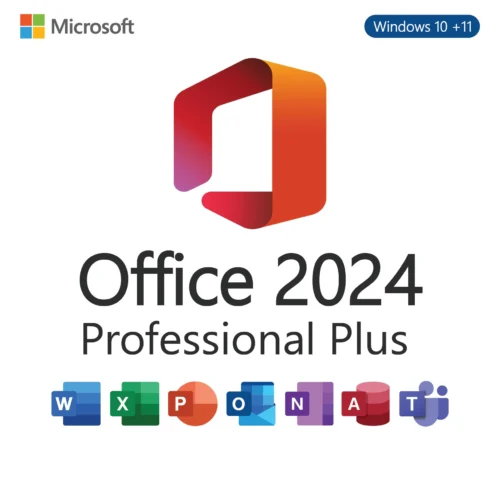
Office 2024 Professional Plus includes the classic desktop Outlook, Access, OneNote, Word, Excel and PowerPoint; it does not include Publisher, and Teams is not bundled but remains a free download. Outlook 2024 is the full classic desktop client with support for Exchange, Microsoft 365 mailboxes, Gmail, IMAP and POP, offline data files, rules and add-ins. Microsoft is also promoting the newer web-based Outlook for Windows, but the classic client in this suite is what most business users want. Access 2024 is the desktop relational database for forms, reports and small business tools, Windows only. OneNote 2024 is the desktop notebook. Publisher's absence is a Microsoft decision: the application is being retired in 2026 and was left out of all 2024 suites, so if you depend on it, Office 2021 Professional Plus in our other bundle still includes it. Teams can be installed free from Microsoft and signed into with any Microsoft or work account, exactly as it was with earlier suites. Not included, as with any one-time-purchase Office, are OneDrive storage beyond the free 5 GB, Copilot, and installation rights on multiple devices; those belong to Microsoft 365 subscriptions. For most homes and small businesses, the six applications here cover everything for years.


Emily Robinson (verified owner) –
Very good overall. A small delay in email, but support helped immediately.
Charlotte Garcia (verified owner) –
This bundle had everything I needed for work and home. Office 2024 Pro Plus is fast and stable.
Henry Flores (verified owner) –
Good pricing and genuine keys. The install instructions could be a little clearer, but support helped me through it.
Michael Martinez (verified owner) –
Windows 11 Pro upgrade was flawless. Office works great and I didn’t run into any issues.
Anthony Torres (verified owner) –
I recommend this bundle to anyone upgrading their PC. Quick installation and full activation.