Do I receive four separate keys in this bundle, and in what order should I use them?
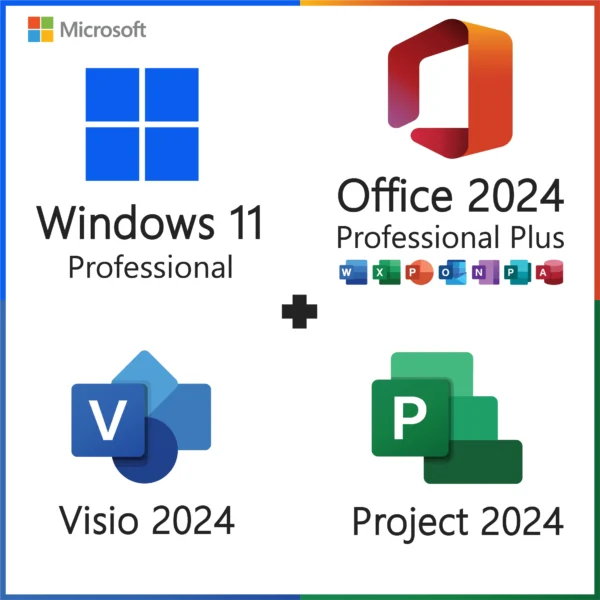
Yes, you receive four separate product keys, one each for Windows 11 Pro, Office 2024 Professional Plus, Visio 2024 Professional and Project 2024 Professional, and the sensible order is Windows, then Office, then Visio and Project. Microsoft licenses each product through its own activation record, so there is no combined key. Our delivery email lists the four keys under clear headings, each a 25-character code in five blocks, with a download link beside each one. The Windows key is entered during Windows Setup or in Settings, System, Activation, and produces a digital license tied to the PC's hardware. The Office, Visio and Project keys are entered inside their respective applications on first launch, via "Enter a product key instead", and each is then bound to the Microsoft account you sign in with. We strongly suggest using the same Microsoft account for all three so they sit together on one services page. After the initial setup you will rarely need the keys again: Windows reactivates from the hardware, and the three Office-family products reinstall from the account. Even so, save the email as a PDF or copy the keys into a password manager. If you lose them, our support team can look up the order by email address or order number and resend all four.
Can I split the bundle and use Visio or Project on a different PC than Windows and Office?
Technically each key activates independently, so the four licenses could end up on different machines, but each license still covers only one PC, and the bundle is priced and intended for a single computer. If your situation calls for Windows and Office on a desktop and Visio on a laptop, the keys will not stop you, provided each key is used on exactly one machine and never on two at once. What you cannot do is use any single key on two computers: the Visio key, for instance, activates one installation of Visio 2024 Professional, and a second activation attempt is refused or later fails. All three Office-family products in this bundle are Windows only, so none of them can go on a Mac. For a business with several people who each need Visio or Project, the economical route is our standalone Visio 2024 Professional and Project 2024 Professional keys, one per user, from the Visio and Project categories. Please also keep in mind that splitting the licenses complicates future reinstalls, because you will need to remember which Microsoft account holds which product on which machine. Our recommendation, for the sake of simplicity, is to keep all four on the one PC this bundle was designed for.
Are these retail or OEM licenses, and can I move all four to a new computer later?
The Windows 11 Pro key is a retail-type license, and Office 2024, Visio 2024 and Project 2024 are one-PC perpetual licenses tied to your Microsoft account; all four can move to a replacement PC once you stop using them on the old one. For Windows, remove the key from the old machine with slmgr /upk in an administrator command prompt, install Windows 11 Pro on the new PC, and enter the same key. If Microsoft's servers say it is in use, sign in with the linked Microsoft account and run the Activation troubleshooter, choosing "I changed hardware on this device recently". An OEM key would be locked to the original motherboard; this one is not. For Office, Visio and Project, uninstall them from the old PC, then on the new one sign in at the Microsoft account services page, where all three appear under your products, click Install for each, and sign in inside each app when prompted. If the account page says the install limit is reached for any of them, our support team can help reset it. Each license is for one active PC at a time. Moving four products takes a little longer than moving one, perhaps an hour including downloads, but none of it requires new keys.
How quickly do the four keys arrive, and what is in the delivery email?
All four keys arrive by email, normally within a few minutes of payment, at any time of day. The email contains the Windows 11 Pro key, the Office 2024 Professional Plus key, the Visio 2024 Professional key and the Project 2024 Professional key, each clearly labeled, together with four download links (Windows 11 media from Microsoft, and the click-to-run installers for Office, Visio and Project) and our written guide covering the installation order and each activation screen. Nothing ships physically. If your inbox is still empty after fifteen minutes, check spam and promotions folders, then sign in to your account on our site where the keys are also displayed on the order page. Some card payments are held briefly for a fraud check by the payment processor; when that clears, the email goes out automatically, usually within the hour. If the address on the order was mistyped, message our support team with the order number and the correct address and we will resend. Because this bundle involves four separate installs that you may spread over several days, we suggest saving the email as a PDF straight away. Our support team is available 24/7 for anything delivery related. We can also resend the email later if you need it again.
Do Visio 2024 and Project 2024 work with any language, and must they match Office's bit version?
All four products install in any language Microsoft offers, the keys are not language or region locked, and yes, Office, Visio and Project must all be the same architecture, which should be 64-bit. Windows 11 Pro is 64-bit only. The Office, Visio and Project installers default to 64-bit, and that is what we recommend: large Visio diagrams, big Project plans and heavy Excel models all benefit. The three share the same click-to-run engine, so Microsoft requires them to match; if you try to install a 32-bit Visio next to a 64-bit Office, Setup refuses with a message about incompatible Office products. Simply use the installers we link and this never comes up. On language, you pick it when you download or run each installer, and you can mix languages if you want to, say an English Windows with a German Office. Language accessory packs with proofing tools are free from Microsoft. If an add-in you rely on is 32-bit only, you would need to install all three Office-family products in 32-bit; the same keys work for either build. If you are unsure which architecture is installed, open File, Account, About in any of the apps and it is shown at the top of the dialog.
What happens to the four licenses if I change the motherboard?
Only the Windows 11 Pro license needs attention after a motherboard change; Office 2024, Visio 2024 and Project 2024 are unaffected because their licenses live on your Microsoft account rather than on the hardware. Windows records its digital license against a fingerprint mostly built from the motherboard, so a new board looks like a new PC and Settings shows "Windows is not activated", often with error 0xC004F211. Because the Windows key is retail-type, you may reactivate. If you had signed in with a Microsoft account before the swap, open Settings, System, Activation, click Troubleshoot, choose "I changed hardware on this device recently", sign in and pick the device. Otherwise, re-enter the Windows key from our email on the Activation page, which works in most cases. The three Office-family apps simply carry on. When each opens for the first time on the new hardware it may ask you to sign in again; use the same Microsoft account and each shows "Product Activated". If the repair involved reinstalling Windows, reinstall Office, Visio and Project from the account services page or from the links in our email. CPU, RAM, GPU and drive upgrades affect none of the four licenses. If anything refuses to reactivate, send our support team the error code and we will sort it out.
Do I need a Microsoft account for this bundle, and can I use one account for all three Office products?
Windows 11 Pro does not require a Microsoft account, but Office 2024, Visio 2024 and Project 2024 each need one at activation, and using a single account for all three is exactly what we recommend. For Windows, the Pro edition allows a local account during Setup via "Sign-in options" and "Domain join instead", and the product key activates directly with Microsoft. For the three Office-family products, when you enter each key the wizard asks you to sign in with a Microsoft account; sign in with the same one every time. Afterwards, that account's services page lists Office Professional Plus 2024, Visio Professional 2024 and Project Professional 2024 side by side, each with an Install button, which turns any future reinstall into three clicks and no key hunting. Any free Outlook.com or Hotmail address works, it need not be the account used in Windows, and businesses often create one account per PC to hold the licenses while Windows logins stay on the company domain. We also suggest signing in to Windows at least once so the Windows license is linked to an account, then switching back to a local account if preferred; the link remains and makes hardware changes easy to recover from.
How long do the four products receive updates, and is there ever a renewal charge?
Windows 11 Pro receives updates indefinitely, and Office 2024, Visio 2024 and Project 2024 receive security updates until October 9, 2029; none of the four ever charges a renewal. Windows Update delivers monthly cumulative updates and one feature update a year (24H2 currently, 25H2 rolling out), with each feature update on Pro supported for 36 months, so the operating system stays current for the life of the PC. The three Office-family products share Microsoft's fixed lifecycle for one-time-purchase software: five years of security and stability fixes, delivered together through File, Account, Update Options in any of the apps, since they run on the same click-to-run engine. After October 2029 they continue to open, edit and save files and continue to activate; they simply stop receiving patches, just as Office 2016 and 2019 do today. They do not receive new features over time the way Microsoft 365, Visio Plan 2 and Project Plan 3 subscriptions do, which many organizations consider an advantage because nothing changes under their staff. Compared with the subscription equivalents for four products, the savings over a five-year machine life are considerable, and there is no account subscription to maintain or cancel. You buy once, install, and let the updaters run quietly in the background.
What is the difference between Visio 2024 Professional and Visio Standard, and between Project Professional and Project Standard?
Visio 2024 Professional adds advanced templates and data linking that Visio Standard lacks, and Project 2024 Professional adds resource management and Project Online or Server connectivity that Project Standard lacks; this bundle includes the Professional edition of both. In Visio, Standard covers basic flowcharts, org charts and simple network diagrams. Professional adds detailed network and rack diagrams, floor plans and building layouts, engineering and electrical templates, UML and BPMN 2.0 diagrams, database notation, wireframes, and the ability to link shapes to data in Excel, SQL Server, SharePoint lists or Azure Active Directory so the diagram updates when the data changes. In Project, Standard gives you Gantt charts, tasks, dependencies, baselines and basic reporting for a single planner. Professional adds resource management with leveling across projects, team planner views, timesheet-style tracking, and the ability to connect to Project Online or Project Server so several project managers share a resource pool. For an individual planning one project at a time, Standard would do; for anyone managing people across several projects, or documenting infrastructure rather than drawing boxes, Professional is the right edition, and it is what most of our business buyers ask for. Both are Windows only and perpetual. If you are unsure which edition you need, describe your work to our support team and we will advise honestly.
What if one of the four keys does not activate, and how does the refund work for a bundle?
If any key does not activate and our team cannot fix it, we replace that key, and where a replacement is impossible we refund that portion of the bundle; the other three keys remain valid. Most issues have quick fixes. On Windows: a mistyped character, an edition mismatch such as Pro N (error 0xC004F050), or an offline PC. On Office, Visio or Project: a leftover older Office, Visio or Project, or a Microsoft 365 trial, still installed (uninstall, restart, retry); a mismatch of 32-bit and 64-bit between the three Office-family products; or signing in with a different Microsoft account than the one used for the other apps. If Windows reports 0xC004C008 or an Office-family app says "This product key has already been used", the key was consumed before, which should never happen with a fresh key from us; send a screenshot at once and we replace it. Refunds are handled per component, so an unfixable Visio key leads to a refund of the Visio share, with Windows, Office and Project unaffected. We cannot refund a key that has activated successfully, because an activated license cannot be resold. Please contact us before opening a dispute; almost every case is settled within a reply or two, and our team is available 24/7.
Can I use this bundle on a PC that already runs Windows 10 or Windows 11 Home, or that already has an older Office?
Yes, the Windows key upgrades an existing installation in place and the three Office-family products install on top, but any older Office, Visio or Project must be uninstalled first. On Windows 11 Home, open Settings, System, Activation, click "Change product key", enter the Windows key, and after one restart the edition is Pro with files and programs intact. On Windows 10, enter the key at Settings, Update and Security, Activation; the PC becomes Windows 10 Pro and, if the hardware qualifies, Windows Update or the Installation Assistant offers the free move to Windows 11 Pro. Windows 10 support ended on October 14, 2025, so this is a good moment. Before installing Office 2024, Visio 2024 and Project 2024, remove any earlier Office, Visio or Project (2013, 2016, 2019, 2021) and any Microsoft 365 trial, then restart. Microsoft's click-to-run engine does not allow two generations side by side, and leftovers are the leading cause of "something went wrong" errors during installation. Microsoft's free Support and Recovery Assistant cleans stubborn remnants. Run PC Health Check before the Windows upgrade; on many 2017 to 2019 machines TPM 2.0 is present but disabled in the BIOS. Our support team can guide you through the cleanup if an old installation refuses to go quietly.
Can I reinstall all four products later without buying the bundle again?
Yes, all four products can be reinstalled on the same PC as often as needed at no cost. Windows 11 Pro leaves a digital license for your motherboard on Microsoft's servers after the first activation; on a later clean install, choose Pro from the edition list, click "I don't have a product key", and it activates by itself once online. Office 2024 Professional Plus, Visio 2024 Professional and Project 2024 Professional are bound to the Microsoft account used at activation; sign in at the account services page, where all three appear with Install buttons, install each, and sign in inside each app when it opens. In most cases none of the four keys needs to be typed again, though the delivery email remains a useful fallback. Practical notes from our support team: install Windows first and the three Office-family products afterwards; if the PC shipped with Windows 11 Home, Setup may pick Home from the firmware key, so use "I don't have a product key" to see the edition list and pick Pro; use the same Microsoft account and the same architecture (64-bit) you used originally; and if any app shows the license as missing, check that you are signed in with the right account under File, Account. Lost both the email and the account details? Contact us with the order number.
Does Office 2024 Professional Plus in this bundle include Outlook and Access, and are Visio and Project full desktop versions?
Yes, Office 2024 Professional Plus includes the classic desktop Outlook and Access, and Visio 2024 Professional and Project 2024 Professional are the full desktop applications, not the web-only Plan 1 versions. Outlook 2024 is the classic desktop client with Exchange, Microsoft 365, Gmail, IMAP and POP support, offline data files, rules and add-ins. Access 2024 is the desktop relational database for forms, reports and small business tools. Word, Excel, PowerPoint and OneNote complete the suite; Publisher is not included in any 2024 suite because Microsoft is retiring it in 2026. Visio 2024 Professional is the installed Windows application with the complete template library, data linking, and the ability to open and save .vsdx files offline, which the browser-based Visio in Microsoft 365 does only partially. Project 2024 Professional is the installed desktop client with full Gantt, resource leveling, baselines, custom fields and .mpp files, which Project for the web does not fully match. Teams is not bundled but is a free download. Not included, as with any perpetual Office product, are OneDrive storage beyond the free 5 GB, Copilot, and multi-device installation rights, which belong to Microsoft 365 subscriptions. For a professional's primary machine, these four cover the full workday.
Is this bundle cheaper than Microsoft 365 plus Visio and Project subscriptions?
Over the life of a typical PC, yes, by a wide margin, because this bundle is a one-time payment while the subscription equivalents charge every month for each product. To get the same capabilities on subscription you would need a Microsoft 365 plan for the Office apps, a Visio Plan 2 subscription for the desktop Visio app, and a Project Plan 3 subscription for the desktop Project app, each billed per user per month for as long as you use them. Add those up over three to five years and the total is many times the price of this bundle, which is calculated on this page from our current single-product prices and already includes the saving versus buying our four keys separately. The subscriptions do offer things a perpetual license does not: continuous feature updates, 1 TB of OneDrive, Copilot, installation on several devices, and cloud collaboration features in Project for the web and Visio for the web. If your team depends on those, a subscription is the right fit. If you need the full desktop Office suite, Visio and Project on one Windows PC and want to pay once, this bundle is the sensible route. The products are supported until October 9, 2029 and keep working afterwards, so the value continues well past the support date.


Stella Miller (verified owner) –
Bought this bundle for work and it has everything I need. Windows, Office, Visio, and Project all working fine.
Victoria Davis (verified owner) –
Great all-in-one package. Installed on my PC without issues and all programs activated successfully. Thanks OfficeGSM for the smooth process.
Michael Nelson (verified owner) –
Everything worked perfectly. Windows 11 Pro activated quickly and Office 2024 with Visio and Project runs great. Very happy with this bundle.
Joshua Taylor (verified owner) –
Very convenient to get everything together. System runs smoothly and all apps are available. No complaints.
Oliver Phillips (verified owner) –
Activation went through on the first try. Clear instructions and fast setup. Good experience with OfficeGSM.