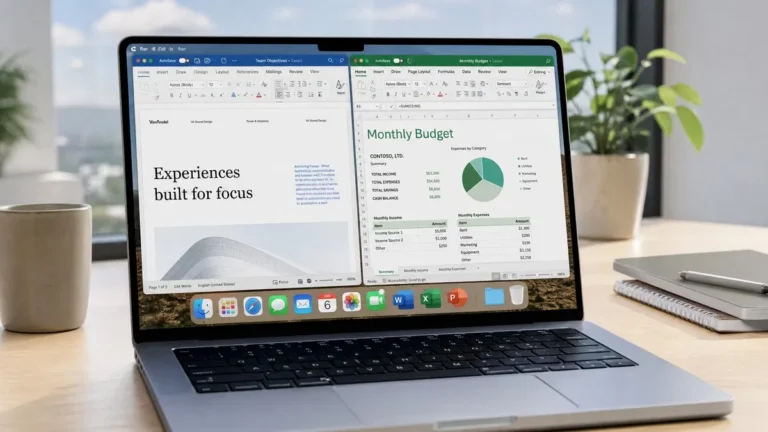
Office 2021 vs 2024 now starts with support status: Microsoft support for Office 2021 ended on October 13, 2026. Office 2024 has a later support deadline, October 9, 2029. Both are purchases for a particular version, rather than a Microsoft 365 subscription, but a perpetual license does not mean perpetual security updates.
For a new installation, compare Office 2024 with Microsoft 365 first. Keep an older version only after considering compatibility, security and your existing licensing rights. This guide covers Windows editions; Mac buyers should also read our Office for Mac guide.
Compare Office 2021 and Office 2024
| What to compare | Office 2021 | Office 2024 / LTSC 2024 |
|---|---|---|
| Payment model | Purchase of the licensed version | Purchase of the licensed version |
| Microsoft support | Ended October 13, 2026 | Ends October 9, 2029 |
| Excel text and array tools | Earlier function set | Adds tools such as TEXTSPLIT, TEXTBEFORE, TEXTAFTER, VSTACK and HSTACK |
| Excel IMAGE function | Not included | Included |
| Publisher in Professional Plus | Included in that edition, but now out of Microsoft support | Not included |
| Access | Depends on edition; included in Professional Plus for Windows | Included in Professional Plus for Windows, absent from LTSC Standard |
| Copilot and subscription services | Not included merely by buying Office 2021 | Not included merely by buying Office 2024 |
| Future version upgrades | A separate purchase or subscription is needed | A separate purchase or subscription is needed |
Check the exact edition before comparing prices. Home, Home & Business, LTSC Standard and Professional Plus have different app lineups and licensing terms. Office LTSC 2024 is supplied to organizations through volume licensing; it should not be described as a retail consumer license simply because it uses a product key. See Microsoft’s Office LTSC 2024 overview for editions and deployment requirements.
What changed in Excel 2024?
The practical additions include more text and array functions, the IMAGE function and charts that reference dynamic arrays. For example, TEXTSPLIT can separate a delimited list into cells, while VSTACK can combine ranges vertically. These are useful when cleaning exports or assembling reports.
Do not assume every Microsoft 365 feature is included. Microsoft’s GROUPBY documentation and REGEXTEST documentation identify Microsoft 365 availability. Those functions should not be promised as part of perpetual Excel 2024. Check each function you depend on against Microsoft’s documentation.
Before changing versions, test a copy of a real workbook. Check formulas, macros, external connections and add-ins. Opening an .xlsx file successfully does not mean every calculation is supported. See Microsoft’s Office 2024 feature guide for the changes by application and edition.
Support dates matter more than activation status
Microsoft confirms that Office 2021 support has ended. The apps may continue to run, but Microsoft no longer supplies security fixes or technical support for that release. Buying another Office 2021 key does not restart its support period.
Office 2024’s later deadline gives a supported version a longer remaining service period. It does not provide a free upgrade to the next Office version. Also check the operating system: an Office license does not extend Windows support, and Microsoft can change which operating systems it supports for a product.
Publisher, Access and the edition choice
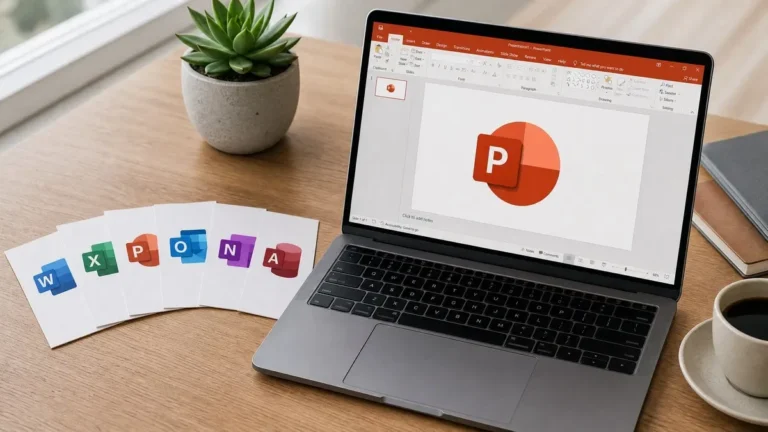
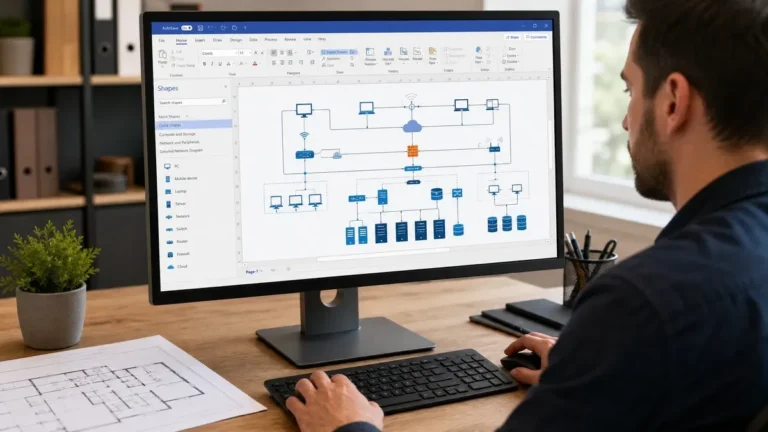
Office 2021 Professional Plus contains Publisher, while Office LTSC 2024 does not. Publisher’s support has also ended, so keeping it for an existing file workflow should come with a migration plan. Save copies of important publications and test how they export or open in a replacement application.
If you need Access, compare Professional Plus with Standard carefully. Access is a Windows application and is not part of LTSC Standard. Teams is a separate service and app; an Office LTSC 2024 purchase does not automatically include a Teams subscription.
Which should you buy?
- Starting a new Windows installation: compare a currently supported Office 2024 edition with a suitable Microsoft 365 plan. Choose by app needs, licensing rights and device requirements.
- Already using Office 2021: plan a move to a supported version, particularly on a computer that opens downloaded documents or email attachments.
- Maintaining an older workflow: test the documents, add-ins and macros first. A lower price does not remove the risks of unsupported software.
- Buying for a business: confirm the license channel, permitted use, device count, transfer restrictions and documentation before ordering.
Review the Office 2024 Professional Plus listing and Office LTSC 2024 Standard listing for current prices and product details. The Office 2021 Professional Plus listing is for the older, unsupported release. For subscription differences, read Office 2024 vs Microsoft 365.
How to move from Office 2021 to Office 2024
- Confirm that the new edition and license fit your device and intended use.
- Back up documents, templates, Outlook data and other local files. Record the existing edition and account details.
- Check add-in compatibility and follow Microsoft’s instructions for removing any conflicting Office installation.
- Install the correct edition from Microsoft’s official software source and activate using the instructions for that license channel.
- Open sample documents, test macros and add-ins, and check that Office updates are enabled.
Our Office 2024 Professional Plus setup guide covers the installation route for that listing. Contact OfficeGSM support with your order number and error message if setup fails. Refund requests must meet the 180-day refund policy.
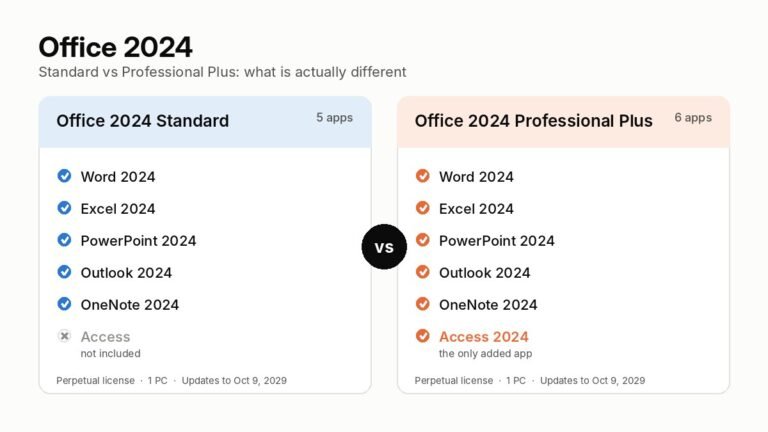
If you are upgrading to 2024 and are not sure which edition to buy, read Office 2024 Standard vs Professional Plus: the only difference between them is Access, and the price gap is under a dollar.
Frequently asked questions
Does an Office 2021 lifetime license still work?
The apps may continue to run after support ends. A perpetual license covers the licensed version under its terms; it does not restore Microsoft’s security updates or guarantee compatibility with future systems.
Does Office 2024 include every Microsoft 365 Excel feature?
No. Office 2024 has a fixed feature set. Check the availability of each function you need; Microsoft 365-only functions should not be assumed to work in Excel 2024.
Can I reuse my Office 2021 key for Office 2024?
An Office 2021 key does not grant an Office 2024 license. You need a license that covers the new version, or an applicable subscription or agreement with upgrade rights.
Is activation proof of a valid business license?
Activation confirms activation status. Licensing rights also depend on the product terms, acquisition channel and permitted use. Keep purchase and licensing records and ask for clarification before buying.