Microsoft Office 2019 Professional Plus Lifetime License: The Short Version
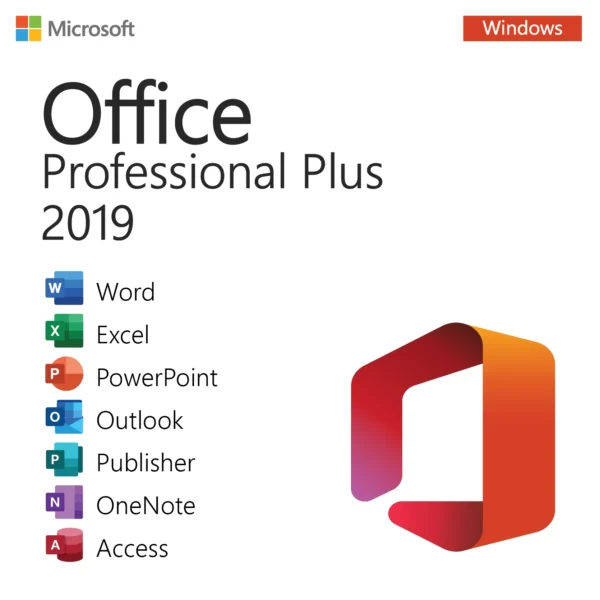
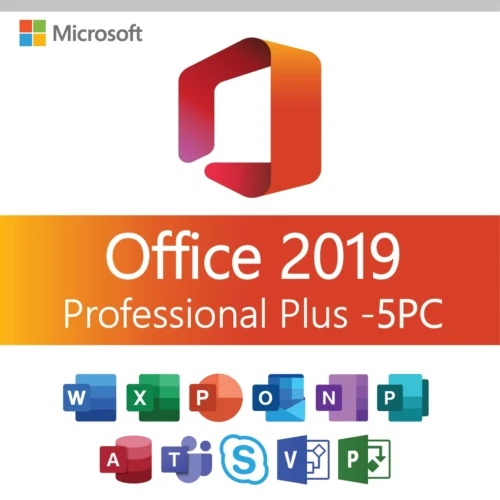
This is a genuine Microsoft Office 2019 Professional Plus product key for one Windows PC, sold as a one-time purchase with no subscription and no renewal. You get the full desktop suite: Word, Excel, PowerPoint, Outlook, OneNote, Access, Publisher and Skype for Business, in 32-bit or 64-bit, in any language you like. We email the key and the download link a few minutes after payment, and our support team is around 24/7 if activation gives you any trouble.
| Product | Microsoft Office 2019 Professional Plus (Word, Excel, PowerPoint, Outlook, OneNote, Access, Publisher, Skype for Business) |
|---|
| License type | Lifetime license, one-time payment, no subscription |
|---|
| Devices | 1 key activates 1 PC (Windows 10 or Windows 11) |
|---|
| Delivery | By email, normally within minutes of payment, with product key and installation files |
|---|
| Activation | Online, by entering the key in Office; no phone call needed in most cases |
|---|
| Works for | Home offices, small businesses, students and anyone who wants the full Office suite without a monthly fee |
|---|
| Updates | Permanent updates through Microsoft Update; note that Office 2019 reached end of support on October 14, 2025 |
|---|
| Guarantee | If a key does not activate and our team cannot fix it, we replace it or refund you |
|---|
What is Office 2019 Professional Plus and who is it for?
Office 2019 Professional Plus is the most complete edition of the 2019 generation of Microsoft Office. It was built for companies, which is why it carries the "Professional Plus" name rather than "Home and Business", and it bundles every classic desktop app Microsoft made that year. You install it once, activate it once, and it keeps working on that PC for as long as the machine lasts. There is no monthly bill, no account subscription to keep alive, and no feature that stops working if you skip a payment.
In our experience the typical buyer is someone who needs Outlook for email, Access for a small database, or Publisher for flyers and newsletters, and who does not want to pay for Microsoft 365 every year. Students on a budget buy it too, because a microsoft office 2019 professional plus key at this price is cheaper than a single year of a subscription. It is also popular with people running an older but perfectly good laptop that they simply want to keep useful.
Which apps are included, and how does Office 2019 Pro Plus compare with other editions?
The quick way to see the difference is a side-by-side list. Home and Student 2019 is the trimmed edition with four apps, Professional Plus 2019 is the full set, and Office 2021 Professional Plus is the newer full set that Microsoft still patches until October 2026. Microsoft 365 is the subscription, so it always has the newest features but never stops costing money.
| Feature | Office 2019 Pro Plus | Office 2019 Home and Student | Office 2021 Pro Plus | Microsoft 365 |
|---|
| Word, Excel, PowerPoint, OneNote | Yes | Yes | Yes | Yes |
| Outlook | Yes | No | Yes | Yes |
| Access and Publisher | Yes | No | Yes | Yes (PC only) |
| Skype for Business client | Yes | No | Teams instead | Teams |
| Payment | One time | One time | One time | Monthly or yearly |
| Security updates | Ended Oct 14, 2025 | Ended Oct 14, 2025 | Until Oct 13, 2026 | Ongoing |
| Windows versions | Windows 10, 11 | Windows 10, 11 | Windows 10, 11 | Windows 10, 11, macOS |
| Our price | USD 10.50 | USD 10.99 | USD 14.99 | Not sold here |
Compared with Office 2016, the 2019 apps add things like the Morph transition and Zoom navigation in PowerPoint, new Excel functions such as TEXTJOIN, CONCAT, IFS and SWITCH, funnel and map charts, a Focus mode and better inking in Word, and a Focused Inbox in Outlook. If you never touch those, our Office 2016 Professional Plus license does the same core job for a little less.
What are the system requirements for Office 2019 Professional Plus?
Office 2019 is the first perpetual Office that requires Windows 10 or newer. It will not install on Windows 7 or Windows 8.1, so if you are on one of those, pick Office 2016 instead or upgrade Windows first. Almost any PC sold in the last ten years meets the hardware side of the list.
| Requirement | Office 2019 Professional Plus |
|---|
| Operating system | Windows 10 or Windows 11 (also Windows Server 2019 and later) |
| Processor | 1.6 GHz or faster, 2-core |
| Memory | 4 GB RAM for 64-bit, 2 GB RAM for 32-bit |
| Disk space | 4 GB free |
| Display | 1280 x 768 resolution |
| Graphics | DirectX 9 or later with WDDM 2.0 driver for Windows 10 |
| Internet | Needed for download and activation, not for daily use |
| Bit versions | 32-bit and 64-bit installers, same key for both |
If you already have a 32-bit copy of an older Office on the machine, the 2019 installer will only let you install the same bit version. Uninstall the old suite first if you want to switch to 64-bit, which we recommend on any PC with 4 GB of RAM or more.
Retail, OEM or volume: which license is this?
Professional Plus was never sold in a retail box. Microsoft licensed it to organizations, and the key you receive from us is a genuine Professional Plus key that activates online against Microsoft's servers. There is nothing OEM about it, meaning it is not tied to a particular brand of computer and it does not come preinstalled. What matters for you is simple: one key, one PC, activate it once and Office stays activated on that machine, including after you reinstall Windows on the same hardware.
Because it is not the consumer retail channel, you do not have to link the key to a Microsoft account to activate it. You can still sign in inside Office if you want OneDrive integration, but the license itself does not depend on the account. That is one reason many buyers prefer it for a work PC where the company Microsoft account is not available.
How do I install and activate Office 2019 Professional Plus?
The whole process takes about fifteen minutes on a normal internet connection. Here is what you actually do after our email arrives.
- Uninstall any trial or older version of Office from Settings, Apps. Restart the PC if Windows asks.
- Open our email and use the download link to get the Office 2019 Professional Plus installer. Choose 64-bit unless you have a specific reason to stay on 32-bit.
- Run the installer and wait for the "You're all set" screen. Office streams the apps in the background, so a slow connection just means a longer wait.
- Open Word. A window asks you to sign in or enter a product key. Click "Enter a product key instead" and type the 25-character key from our email.
- Click Activate. Office contacts Microsoft, confirms the key, and the yellow bar disappears. You can check under File, Account, where it should read "Product Activated".
- If activation fails, note the exact error code, for example 0xC004C003 or 0x80070005, and send it to our support team with your order number. We reply around the clock.
Keep the email with your key. If you ever need to reinstall Office 2019 on the same PC, you download it again, enter the same key and activation goes through without contacting us.
Why is an Office 2019 Professional Plus key this cheap, and is it legit?
People are right to be careful when they see office 2019 professional plus for a fraction of the old sticker price, so here is the honest explanation. Office 2019 is two generations behind the current release, Microsoft stopped selling it directly years ago, and the remaining license stock in the channel is priced for what it is: an older product. We do not print boxes, ship discs or run a call center from an expensive office, and we buy in volume. That is the entire margin story.
The key you get is a real Microsoft key that activates on Microsoft's own servers. It is not a crack, not a KMS emulator, and not a shared key from a forum. If for any reason a key does not activate and our team cannot resolve it, we replace it or refund you. We would rather lose a sale than send you something that stops working in a month.
Updates, support and lifecycle: what end of support means for you
Microsoft ended support for Office 2019 on October 14, 2025. That sounds dramatic but the practical effect is narrow. The apps still install, still activate, and still receive whatever updates Microsoft has already published through Microsoft Update. What you no longer get is new security patches or new features. For a home PC that opens its own documents, or an offline machine in a workshop, that is rarely a problem. For a business that receives attachments from strangers all day, we would point you to Office 2021 Professional Plus, supported until October 2026, or to Office 2024 Professional Plus, supported until October 2029.
Our own support does not end with Microsoft's. If your key stops activating after a reinstall or you get a "Product Deactivated" message, contact us and we will sort it out.
Who buys Office 2019 Professional Plus and what else should you look at?
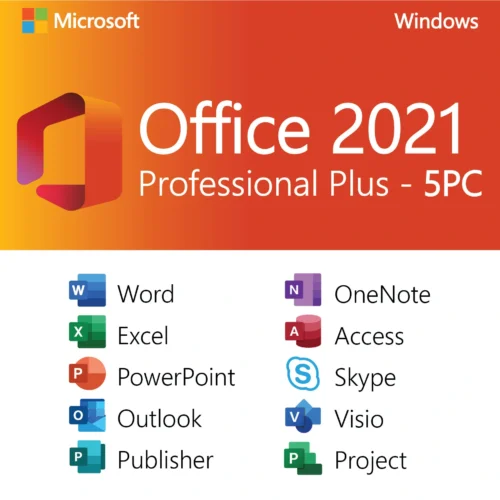
Most orders come from three groups: home users who want Outlook and refuse to rent software, students who need Word and Excel for coursework, and small businesses equipping a second or third PC on a tight budget. If you have several machines, our Office 2019 Professional Plus 5 PC pack brings the per-computer price down further. If you only need the four basic apps, the Office 2019 Home and Student key costs about the same but leaves out Outlook, Access and Publisher, so most people take Pro Plus.
You can browse every version we stock, from 2010 to 2024, in our Microsoft Office category, or see just the Office 2019 licenses. Buying a Windows key at the same time? Our Windows 11 Pro license pairs naturally with this suite.


Sofia Thomas (verified owner) –
Great value for a lifetime license. All programs installed and activated successfully.
Samuel Williams (verified owner) –
Using it daily for work and it’s been very reliable. Activation was quick.
Zoey Smith (verified owner) –
Easy setup with clear instructions. Office 2019 Pro Plus works exactly as expected.
Ella Brown (verified owner) –
Everything included in one package and no subscription required. Happy with this purchase.
Aiden Nguyen (verified owner) –
Very stable Office version. Excel and Outlook run smoothly and no crashes so far.