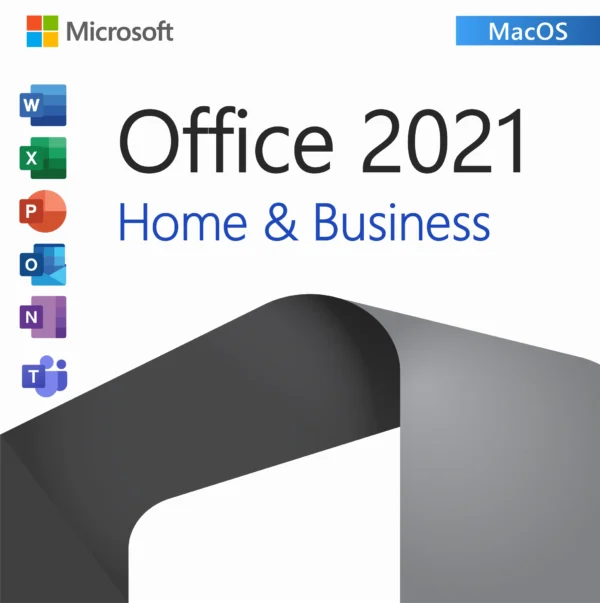
Microsoft Office 2021 Home and Business For Mac – Lifetime License

(5 customer reviews)

Original price was: $120.00.Current price is: $64.99.

You save $55.01 (46%)

Get Microsoft Office 2021 Home and Business For Mac with a genuine lifetime license. Instant email delivery, secure purchase, and official activation.

Guaranteed Safe CheckoutAccepted payment methods
  • Genuine software
  • Lifetime guarantee
  • Permanent updates
  • Multilingual support
  • Installation files
  • 24/7 assistance
  • Product key included
  • No expiry

Microsoft Office 2021 Home and Business for Mac

Stay productive and organized with Microsoft Office 2021 Home and Business for Mac — the modern suite designed for professionals, students, and families using macOS.

Activate your copy with a 100% genuine Microsoft license key. Enjoy instant digital delivery, lifetime activation, and a one-time purchase with no subscriptions.

Key Features:

  • Genuine Microsoft Office 2021 Home and Business for Mac license

  • Lifetime activation on 1 Mac (no expiration, one-time purchase)

  • Instant email delivery within minutes after purchase

  • Works worldwide – multilingual support (all languages)

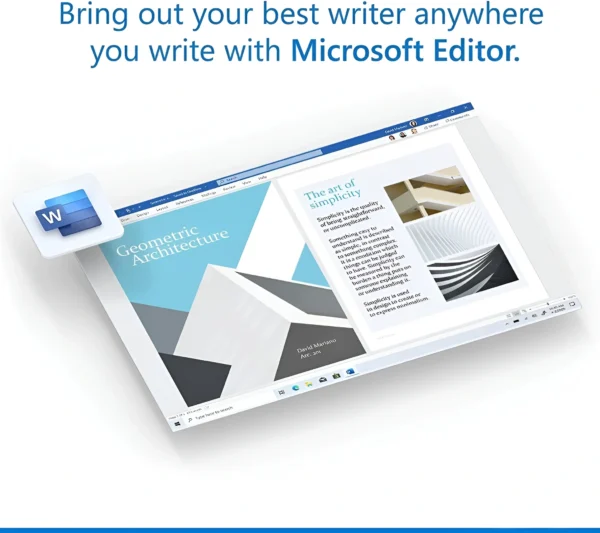
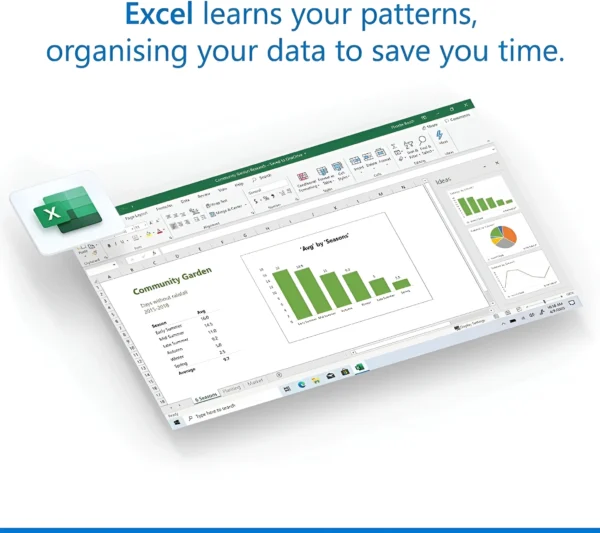
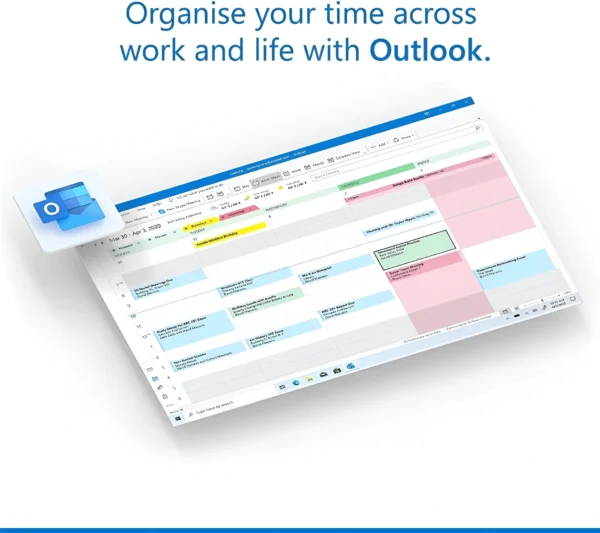
  • Includes: Word 2021, Excel 2021, PowerPoint 2021, Outlook 2021, OneNote for Mac

  • Optimized for macOS Big Sur, Monterey, Ventura, Sonoma, and newer versions

  • Download link + step-by-step activation guide included

What You’ll Receive:

  • 1x Office 2021 Home and Business for Mac License Key (lifetime use)

  • Official Microsoft download link

  • Installation & activation instructions (PDF)

  • Free email support if needed

Delivery:

Instant digital delivery straight to your email within seconds after purchase. No physical product shipped – 100% secure and genuine license.

Office 2021 Home and Business for Mac: The Short Version

Microsoft Office 2021 Home and Business for Mac is the one-time-purchase version of Office that puts Word, Excel, PowerPoint, Outlook and OneNote on a single Mac, with no monthly or yearly subscription attached. You buy the product key from us once, redeem it through your Microsoft account, download the installer from Microsoft, and the license stays yours for as long as you use that Mac. It is the natural choice for anyone who wants the classic Office apps on a MacBook, iMac or Mac mini without paying for Microsoft 365 every year.

ProductMicrosoft Office 2021 Home and Business for Mac, genuine product key
License typeRetail, perpetual (lifetime) license, no subscription
Devices1 Mac (Apple silicon or Intel)
DeliveryBy email, typically within minutes of payment, with download instructions
ActivationRedeem the key with a Microsoft account, then sign in inside any Office app
Works formacOS, the three most recent versions supported by Microsoft; Big Sur or later at release
UpdatesSecurity and quality updates from Microsoft through October 13, 2026; the apps keep working after that
GuaranteeIf the key does not activate and our team cannot fix it, we replace it or refund you

What is Office 2021 for Mac and who is it for?

Office 2021 is the perpetual release Microsoft shipped in October 2021, and the Home and Business edition is the Mac version that includes Outlook. That single detail matters more than it sounds. The cheaper Home and Student edition leaves Outlook out, so if you run your email, calendar and contacts through a desktop client rather than a browser tab, Home and Business is the edition you actually want.

Who buys it? Freelancers who invoice from Excel and write proposals in Word. Small offices with a handful of Macs that would rather pay once than carry five subscriptions. Students and parents who tried the free web apps and hit their limits. Anyone who bought a new Mac, found no Office on it, and typed microsoft office for mac into a search bar. If you fall into any of those groups, this key gets you the full desktop apps, not a trimmed-down web version.

Which apps are included, and what is different from the Windows version?

Office 2021 Home and Business for Mac installs five applications: Word 2021, Excel 2021, PowerPoint 2021, Outlook 2021 and OneNote. Word and Excel are the same document and spreadsheet formats you know from Windows, so files travel back and forth without conversion. PowerPoint 2021 added the newer design tools and the ability to record presentations with your camera. Outlook 2021 for Mac handles Exchange, Microsoft 365, Outlook.com, Gmail, iCloud and plain IMAP accounts.

Two apps that exist in the Windows suites are not part of any Mac edition: Access and Publisher. Microsoft never built Access for macOS, and Publisher is a Windows-only product. If you need a database front end on a Mac, the realistic options are Excel, a virtual machine running Windows with Office 2021 Professional Plus, or a web-based tool. We mention this up front because it is the single most common reason for a support ticket after a Mac purchase.

How does Office 2021 for Mac compare with Microsoft 365 and Office 2019 for Mac?

The comparison most buyers are really making is between a one-time key and a Microsoft 365 subscription. Both give you the same core apps on a Mac. The difference is in how you pay, how many devices you cover, and whether you get cloud storage and new features each month.

FeatureOffice 2021 Home and Business for MacMicrosoft 365 PersonalOffice 2019 Home and Business for Mac
PaymentOne-time purchaseMonthly or yearly subscriptionOne-time purchase
Devices1 MacUp to 5 devices signed in at once1 Mac
AppsWord, Excel, PowerPoint, Outlook, OneNoteSame apps plus OneDrive and DefenderWord, Excel, PowerPoint, Outlook, OneNote
Apple siliconNative Universal buildsNativeRuns through Rosetta on newer builds
Cloud storageNot included (free 5 GB OneDrive with any account)1 TB OneDriveNot included
New featuresFixed feature set, security updates to Oct 2026Continuous monthly featuresOut of support since October 2023
Best forOne Mac, pay onceSeveral devices, want cloud extrasOlder Intel Macs on a tight budget

If you only have one Mac and do not care about a terabyte of cloud storage, the math favors the perpetual key within the first year. If you have a household full of iPads, phones and laptops, the subscription starts to make sense. We sell both kinds of customer what they need, so there is no pressure either way.

What are the system requirements for Office 2021 for Mac?

Office 2021 for Mac was the first perpetual Office release to ship as Universal binaries, meaning it runs natively on Apple silicon (M1, M2, M3 and M4 chips) as well as on Intel Macs. There is no Rosetta translation layer involved on a modern MacBook Air or Mac Studio, which shows up as faster launches and lower battery drain compared with older Office builds.

RequirementOffice 2021 Home and Business for Mac
Operating systemmacOS Big Sur 11 or later at release; Microsoft supports the three most recent macOS versions
ProcessorApple silicon (M1 and later) natively, or Intel Mac
Memory4 GB RAM
StorageAbout 10 GB of free disk space
Display1280 x 800 or higher
InternetRequired for download, activation and updates
AccountMicrosoft account (free) to redeem and sign in

One practical note. Microsoft ties Office for Mac support to Apple's release cycle, so when a new macOS version ships, the oldest of the three supported versions drops off. The apps do not stop working on an older macOS, but you may stop receiving updates on it. If your Mac is stuck on Catalina or Mojave, look at Office 2019 Home and Business for Mac instead.

Retail, OEM or volume: which license is this?

This is a retail Home and Business license. There is no OEM channel for Office on Mac, and the volume licenses that large companies use activate differently and are not sold per seat to consumers. A retail key is the one you want as an individual or small business because it binds to your Microsoft account. Once redeemed, the license shows up under Services and subscriptions on your account page, and you can download the installer again from there whenever you need it.

Keep the Microsoft account you redeem the key with. The account, not the 25-character key, is what proves ownership later. If you wipe your Mac, sell it and buy a new one, or simply forget where you saved the email, signing in to that account is how you get Office back.

How do I install and activate Office 2021 on a Mac?

  1. Open the delivery email from OfficeGSM and copy the 25-character product key.
  2. Go to the Microsoft redemption page (office.com/setup) in Safari or Chrome and sign in with your Microsoft account, or create a free one.
  3. Paste the key, pick your country and language, and confirm. The page will tell you the product has been added to your account.
  4. Click Install to download the Office for Mac installer package (about 2 GB).
  5. Open the .pkg file, follow the installer, and enter your Mac password when asked.
  6. Launch Word from the Applications folder, click Sign in, and use the same Microsoft account. All five apps activate together.
  7. Open Word or Excel, choose Help, then Check for Updates, and let Microsoft AutoUpdate install the latest build.

The whole process takes fifteen to twenty minutes on a normal connection, most of it download time. If any app still shows an Activate Office banner after signing in, quitting and reopening it usually clears it. If not, our support team is available around the clock and will walk through it with you.

Why is an Office 2021 for Mac key this cheap, and is it legit?

The keys we sell are genuine Microsoft product keys that redeem on Microsoft's own site and activate against Microsoft's own servers. Nothing is cracked, patched or modified, and you download the software straight from Microsoft, not from us. The price gap compared with the box in a retail store comes from how we source licenses in volume and the fact that we do not print boxes, ship discs or pay for shelf space. You get an email instead of a plastic case, and the saving is passed to you.

We would rather be straightforward about what "cheap" means here. The key is a real retail Home and Business key for one Mac. It is not a shared volume key that stops working when someone else redeems it, and it is not a trial. If a key ever fails to redeem and our team cannot resolve it, we replace it or refund you.

Updates, support and lifecycle

Microsoft supports Office 2021, including the Mac edition, until October 13, 2026. Until then you receive security fixes and stability updates through Microsoft AutoUpdate. After that date the apps continue to open, edit and save exactly as before; what stops is new security patches from Microsoft. Many of our customers are still happily using Office 2016 and 2019 for Mac today, so end of support is not a countdown to a dead app, but it is worth knowing when you compare a 2021 key with an Office 2024 license.

Support from our side does not have an end date. If you reinstall macOS in three years and cannot find your key, write to us with your order number and we will help you recover it.

Who buys Office 2021 for Mac and what else should you look at?

Most orders for this product come from people who just bought a Mac and need the real Word and Excel, small businesses standardizing a few machines, and Windows users switching to Mac who want the same Outlook they had at work. If your Mac is older and Intel-based, the 2019 edition costs less and covers the same five apps. If you also run a Windows PC, Office 2021 Professional Plus is the matching Windows suite, and our Office for Mac category lists every Mac edition we carry side by side. For the broader range of one-time Office licenses, including Home and Student editions, start at the Microsoft Office section of the store.

Frequently asked questions about Microsoft Office 2021 Home and Business For Mac – Lifetime License

How do I activate Office 2021 Home and Business for Mac after I receive the key?
You activate it by redeeming the 25-character key at Microsoft's setup page with a Microsoft account, then signing in to any Office app on your Mac with that same account. The email you receive from us contains the key, a link to the redemption page, and a short set of instructions. Open the link, sign in or create a free Microsoft account, paste the key, and choose your country and language. Microsoft then lists Office 2021 Home and Business for Mac under your account and shows an Install button. Download the installer package, run it, and open Word. On the first launch you will see a Sign in screen; use the account you redeemed with, and Word, Excel, PowerPoint, Outlook and OneNote activate at the same time. You do not type the key into the apps themselves. That is a common source of confusion for people who remember older Office versions, where a key went into a dialog box inside the program. On Mac, the key is redeemed once on the website and the account does the rest. If an app still shows a yellow activation banner after you sign in, quit it fully with Command-Q and reopen it. If that does not help, contact our support team with your order number and a screenshot of the message and we will sort it out.
How many Macs can I install Office 2021 Home and Business on with one key?
One key covers one Mac. Office 2021 Home and Business for Mac is licensed per computer, so if you have a MacBook and an iMac you need two keys, or you should consider a Microsoft 365 subscription, which allows several devices. We know it is tempting to try the same key twice, and Microsoft's servers will simply refuse the second activation, because the license is already attached to a device in your account. What you can do is install on one Mac, then later remove Office from that machine and install it on a replacement Mac using the same Microsoft account. That is a transfer, not a second installation, and it is allowed for a retail license. If you are equipping a small office, buy one key per Mac and redeem each one with the account of the person who will use that computer, or with a shared company account if you prefer to manage them centrally. Either way, keep a list of which key went to which machine; it makes support requests far quicker if anything comes up later. If you also have Windows PCs in the mix, remember that this key is Mac-only. For a Windows machine, a Windows edition of Office such as Office 2021 Professional Plus is the right product.
Does Office 2021 for Mac run natively on Apple silicon Macs with M1, M2, M3 or M4 chips?
Yes, Office 2021 for Mac ships as Universal apps that run natively on Apple silicon as well as on Intel processors. Microsoft moved Office for Mac to native Apple silicon builds in late 2020, before Office 2021 launched, so every build of Word, Excel, PowerPoint, Outlook and OneNote you download for Office 2021 is compiled for both architectures. On an M-series MacBook Air, Mac mini or Mac Studio the apps open in a second or two and do not need the Rosetta 2 translation layer. This is one of the clearest advantages of 2021 over the older Office 2019 for Mac, whose Apple silicon support depended on Rosetta and later updates, and over Office 2016 for Mac, which is Intel-only and was never updated for Apple silicon. There is no separate 32-bit or 64-bit choice on Mac. macOS has been 64-bit only since Catalina, and all current Office for Mac builds are 64-bit. If you use Excel add-ins or Word macros written for Windows, they may need adjusting on any Mac, but that is a platform difference, not a chip difference. In day-to-day use, large spreadsheets recalculate quickly and PowerPoint exports video without complaint on Apple silicon. If you are buying a new Mac this year, Office 2021 is fully at home on it.
Which macOS versions can I install Office 2021 Home and Business on?
Office 2021 for Mac required macOS Big Sur 11 or later at launch, and Microsoft continues to support it on the three most recent versions of macOS at any given time. That means as Apple releases a new macOS each fall, the oldest of the three supported versions falls off the list. Installing on an older macOS is not blocked outright in most cases, but the newest Office updates may refuse to install there, and Microsoft will not fix problems on it. If your Mac runs a current release such as the latest macOS or the two before it, you are fine. If it is stuck on Catalina or Mojave because Apple no longer offers upgrades for that hardware, Office 2021 is not the right fit and you should look at Office 2019 for Mac, which was built for that era. Before you buy, click the Apple menu, choose About This Mac, and note the macOS version and the chip. If the chip line says Apple M1 or later, you are on Apple silicon and any current macOS works. If it says Intel, check that your macOS is one of the three latest versions. Our support team is happy to confirm compatibility for you before purchase if you send those two details.
Do I need a Microsoft account to use this key, and can I use one I already have?
Yes, a Microsoft account is required, and using an account you already have is the best option. The account is what the license attaches to once you redeem the key at Microsoft's setup page, so choose one you will still have access to in five years. An Outlook.com, Hotmail or Live address works, and so does a Gmail or iCloud address that you have registered as a Microsoft account login. If you already sign in to Skype, Xbox, OneDrive or a Windows PC with a Microsoft account, that same login works for Office. We advise against creating a throwaway account just for this purchase. If you lose the password and the recovery details, you lose the easy way to reinstall Office, and Microsoft cannot simply move a license from one account to another on request. Two other tips from experience. First, if the account has two-step verification enabled, keep your phone nearby during setup, because signing in inside Word will trigger a code. Second, if the Mac is for a family member, redeem the key with their account, not yours, so they can reinstall without calling you. The key itself is only entered once; after that, the account carries the license and you will rarely need the 25 characters again.
Is this a retail key or an OEM or volume license, and does that matter on a Mac?
It is a retail license, which is the only kind that makes sense for an individual Mac. OEM licenses exist for Windows PCs that ship with software preinstalled, and there is no OEM channel for Office on Mac. Volume licenses are what large organizations buy in bulk and activate through their own servers or a volume portal; they are not designed to be redeemed one at a time by a consumer, and if you ever see a Mac Office key advertised as volume at a rock-bottom price, you should be careful. A retail Home and Business key redeems on Microsoft's public setup page, attaches to your personal Microsoft account, and can be reinstalled and even transferred to a new Mac you own. That flexibility is the practical difference. With a retail license, your relationship is with Microsoft through your account, not with a company administrator who could revoke the seat. For a small business, retail keys also keep bookkeeping simple: one key per Mac, each visible in the account it was redeemed with. If you later grow to a point where centrally managed licensing makes sense, that is a different conversation, and we can point you to the right product. For a single Mac or a handful of them, retail is the correct answer.
Can I move Office 2021 for Mac to a new Mac if I replace my computer?
Yes, a retail Office 2021 license can be moved to another Mac you own, as long as you remove it from the old one first. Microsoft's terms for perpetual retail Office permit a transfer to a different device, provided you do not run it on both at the same time. In practice, the process is simple. On the old Mac, sign out of Office (Word, then the account menu, then Sign out) and uninstall the apps, or wipe the machine if you are selling it. On the new Mac, go to your Microsoft account page, open Services and subscriptions, find Office 2021 Home and Business for Mac, and click Install. Run the installer and sign in with the same account. In most cases activation simply works. Occasionally Microsoft's servers still remember the old device and show a message that the license is in use. If that happens, sign out on the old Mac if you still have it, wait a short while and try again. If the old Mac is gone, contact our support team with your order number and we will help you get activation cleared. What you cannot do is keep Office running on the old Mac and also activate the new one, since this is a one-device license.
What is the difference between Office 2021 Home and Business and Microsoft 365 on a Mac?
Office 2021 Home and Business is a one-time purchase for one Mac, while Microsoft 365 is a subscription that covers several devices and adds cloud services. On the Mac itself, the apps look and behave almost the same: Word, Excel, PowerPoint, Outlook and OneNote. The subscription keeps receiving new features every month, adds 1 TB of OneDrive storage per user, and lets you sign in on up to five devices at once, including iPads and Windows PCs. The 2021 perpetual license has a fixed feature set from the 2021 release, receives security updates until October 2026, and never sends you a renewal invoice. So the question is really about your situation. One Mac, standard documents and spreadsheets, and a dislike of recurring payments points clearly to the 2021 key. Multiple devices, heavy OneDrive use, or a need for the newest features such as the latest collaboration tools points to Microsoft 365. Some customers combine the two: a perpetual license on the family desktop and a subscription on a work laptop. Both are genuine Microsoft products, and there is no hidden catch in the perpetual version other than the fact that it stays at the 2021 feature level rather than growing.
How long does delivery take and what exactly is in the email?
Delivery is by email and typically arrives within minutes of your payment being confirmed. The message comes from OfficeGSM and contains your 25-character Office 2021 Home and Business for Mac product key, a link to Microsoft's redemption page, a link to the installer download, and step-by-step instructions written for Mac. There is no physical box, disc or USB stick, and nothing is posted, which is exactly why the price is what it is. If you do not see the email after a few minutes, check the spam or promotions folder first; automated mail from a new sender sometimes lands there. Also double-check the address you typed at checkout, since a single wrong letter sends the key into the void. If it still has not arrived, contact our support team with your order number and we will resend it to the correct address. We suggest saving the email somewhere safe or forwarding it to yourself with a clear subject line, although once the key is redeemed the license lives in your Microsoft account and you will not need the key again for reinstalling. Orders placed at night or on weekends are handled the same way; the system does not wait for business hours, and our support staff are available around the clock.
What happens if the key says it has already been used or is invalid?
If the key does not redeem, contact our support team right away, and if we cannot resolve it we replace the key or refund you. Start by checking a few common causes. Make sure you are on Microsoft's official setup page and not a lookalike site. Copy and paste the key rather than typing it, since the letter O and the digit zero, and the letter I and the digit one, are easy to mix up in a 25-character string. Confirm that you are signed in to the Microsoft account you intend to use, not a work or school account, which can reject consumer keys. If the page reports that the key has already been redeemed, check whether you or someone in your household redeemed it earlier by looking at the Services and subscriptions page of the account; more than once, a customer had already added the product and simply needed to click Install. If none of that explains it, send us the order number, the exact wording of the error and a screenshot. We will verify the key on our side and issue a replacement if it is faulty. This is the guarantee we stand behind: a key that does not activate and cannot be fixed by our team is replaced or refunded, no argument.
Will Office 2021 for Mac keep getting updates, and what happens after October 2026?
Office 2021 for Mac receives security and stability updates from Microsoft until October 13, 2026, and after that date the apps keep working but no longer receive new patches. Updates arrive through Microsoft AutoUpdate, a small helper app that installs alongside Office. You can let it run automatically or open Word, choose Help, then Check for Updates, and install them by hand. These are maintenance updates, not new features; the feature set of Office 2021 was fixed at release, which is the nature of a perpetual license. When support ends, nothing is switched off. Your license remains valid, activation continues to work, documents open and save as before, and you can still reinstall from your Microsoft account. What changes is risk: any security flaw discovered after that point will not be fixed in the 2021 version. For many home users who keep macOS itself up to date, that is an acceptable trade for a one-time price. If you handle sensitive client data or want a longer runway, Office 2024 has support through October 2029 and is the newer option. We also note that macOS itself moves on, and at some point a future macOS release may not be supported by Office 2021, which is a separate consideration from the Microsoft support date.
Can I use this key in a different language or from another country?
Yes, the key is multilingual and works with any language version of Office for Mac, and it can be redeemed from most countries. When you redeem at Microsoft's setup page you select a country and a language; the language you choose becomes the default for the installer, but Office for Mac follows your macOS language settings, so you can change the interface later simply by changing the preferred language in System Settings. Spelling and grammar dictionaries for additional languages download on demand inside Word. In other words, a single key serves a household that writes in English and Spanish, or a small office with staff who prefer German menus. On the country question, retail Office keys are not region-locked in the way some game keys are. We have customers redeeming successfully across North America, Europe, Australia and beyond. Pick the country you actually live in during redemption so that Microsoft's help pages and any account communications match your location. If you travel or move, the license moves with your account, and there is nothing to change. If you ever see a message that the key is not valid in your region, which is rare, contact our support team with a screenshot and we will investigate and replace the key if needed.
How do I reinstall Office 2021 on the same Mac after a clean macOS install, and does the key work again?
You reinstall by signing in to your Microsoft account, downloading Office from the Services and subscriptions page, and signing in to the apps; the key itself is not needed again. Because the license was attached to your account when you first redeemed the key, a clean install of macOS, a new drive, or a factory reset does not affect it. After macOS is set up, open Safari, go to your Microsoft account, open Services and subscriptions, find Office 2021 Home and Business for Mac and click Install. Run the installer and sign in with the same account when Word asks. Activation is immediate in nearly every case, because Microsoft recognizes the same account and the same product. If you replaced major hardware or restored from a backup made on a different Mac, Microsoft may treat it as a new device, which is fine for a retail license as long as the old installation is no longer in use. A couple of housekeeping notes: Outlook data stored locally is not restored by reinstalling Office, so back up your Outlook profile or make sure your mail is on an IMAP or Exchange server before wiping the machine. Custom Word templates and Excel add-ins also live in your user Library folder, so copy those out first. If any step fails, our support team is a message away.
I already have Office 2019 for Mac or a Microsoft 365 trial installed. Do I need to remove it before installing Office 2021?
Yes, we recommend removing any older Office installation or expired trial before installing Office 2021 for Mac, because Microsoft's installer replaces the same applications and mixing versions causes activation confusion. On Mac, Office 2019, Office 2021 and Microsoft 365 all install the same app bundles into the Applications folder; the difference is the license the apps see when you sign in. If an expired Microsoft 365 trial is signed in, the apps may keep reporting a subscription problem even after you redeem a perpetual key. The fix is to sign out of all accounts in Word (account menu, then Sign out), quit every Office app, and then sign back in with the account that holds your Office 2021 license. For a truly clean start, drag the Office apps to the Trash, then also remove the Office license files from the Library, Group Containers folder, or run Microsoft's license removal tool for Mac, which does exactly that in one step. Your documents are never touched by any of this. After the cleanup, run the Office 2021 installer from your Microsoft account and sign in once. If you had Office 2019 activated under the same account, it stays in your account history, but the 2021 license is the one the apps will use.

Why Choose Our Windows Server and Office Solutions?

Discover the advantages of purchasing your Microsoft software from us.

Instant digital delivery

Receive your Windows Server or Office product key instantly via email, allowing for immediate deployment.

Certified Microsoft partner

As an authorized Microsoft partner, we provide genuine software and expert support for all your Windows Server and Office needs.

Competitive pricing

Get the best prices on the market for genuine Microsoft software, ensuring excellent value for your investment in Windows Server and Office products.

24/7 technical support

Our dedicated support team is available around the clock to assist you with any questions or issues related to your Windows Server or Office installation.

Perpetual licenses

Our Windows Server and Office licenses are perpetual. Once activated, your software never expires, providing long-term value with no recurring fees.

Lifetime license, one-time purchase

Once installed, your software never expires. With a permanent lifetime license, there is no need for monthly or yearly renewals. Enjoy peace of mind with a one-time purchase and no hidden fees.

5 reviews for Microsoft Office 2021 Home and Business For Mac – Lifetime License

  1. Sebastian Baker (verified owner) –

    Perfect solution for Mac users who don’t want Office 365. Everything activated on the first try.

  2. Elizabeth Robinson (verified owner) –

    No problems at all after installation. Word and Excel work just like they should. Very satisfied.

  3. Henry Taylor (verified owner) –

    Straightforward setup with clear instructions. Office feels smooth and well optimized for macOS.

  4. Ava Hernandez (verified owner) –

    Works great on my iMac. All apps open fast and no crashes so far. Good value for a lifetime license.

  5. Paisley Brown (verified owner) –

    I’ve been using it daily for work on my MacBook Air and it’s been very reliable. Happy with the purchase.

Add a review

Your email address will not be published. Required fields are marked *

Microsoft Office 2021 Home and Business For Mac – Lifetime License

Original price was: $120.00.Current price is: $64.99.

Add to cart