Upgrade from Windows 10 Home to Windows 10 Professional

(5 customer reviews)

Original price was: $38.00.Current price is: $13.99.

You save $24.01 (63%)

Upgrade to Windows 10 Professional Operating System at OfficeGSM. Instant key, best price, and 24/7 expert support.

Guaranteed Safe CheckoutAccepted payment methods
  • Genuine software
  • Lifetime guarantee
  • Permanent updates
  • Multilingual support
  • Installation files
  • 24/7 assistance
  • Product key included
  • No expiry

Upgrade Windows 10 Home to Pro – Genuine Microsoft License Key

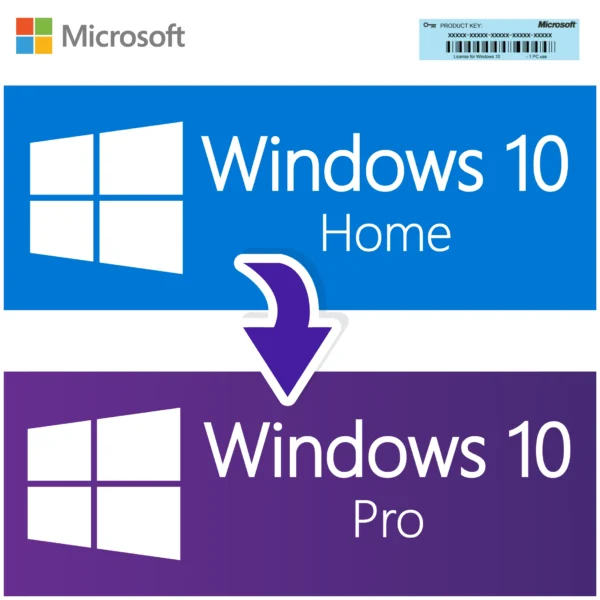
Get all the advanced features of Windows 10 Pro , Upgrade Windows 10 Home to Pro without losing your files or your programs — all with lifetime activation.

Key Features:

  • Genuine Microsoft Windows 10 Pro upgrade license

  • Lifetime activation on 1 PC (32-bit or 64-bit)

  • Works worldwide – supports all languages and regions

  • Upgrade directly from Windows 10 Home without reinstalling

  • Free lifetime updates from Microsoft

  • Instant digital delivery within minutes after purchase

  • Official download link + easy step-by-step activation guide included

What You’ll Receive:

  • 1x Windows 10 Pro Upgrade License Key (lifetime use)

  • Official Microsoft download link

  • Complete installation and activation instructions

  • Free customer support via email

Delivery:

Your license key and download link will be sent instantly to your email within seconds of purchase. No physical product is shipped.

Windows 10 Home to Pro Upgrade Key: The Short Version

This is a genuine Windows 10 Pro product key that upgrades a computer running Windows 10 Home to Windows 10 Pro in place, in about ten minutes, without reinstalling Windows and without losing your files, programs or settings. You enter the key in Settings, Windows restarts once, and you come back to a Pro machine with BitLocker, Remote Desktop, Hyper-V, Group Policy and domain join. It is a lifetime license for one PC, delivered by email within minutes of payment.

ProductWindows 10 Home to Windows 10 Pro upgrade, 32-bit or 64-bit, any language
License typeGenuine lifetime Windows 10 Pro license key, no subscription
Devices1 key upgrades and activates 1 PC
DeliveryBy email, typically within minutes of payment, with a short upgrade guide
ActivationSettings, Update and Security, Activation, Change product key
Works forLaptops and desktops that shipped with Windows 10 Home, including OEM machines from Dell, HP, Lenovo, Acer and ASUS
UpdatesWindows 10 support ended October 14, 2025; the same key activates Windows 11 Pro on compatible hardware
GuaranteeIf the key does not activate and our team cannot fix it, we replace it or refund you

What is the Windows 10 Home to Pro upgrade and who is it for?

Most laptops and prebuilt desktops sold to consumers come with Windows 10 Home. It is a good operating system, but it leaves out the management and security tools that small businesses, IT-minded home users and remote workers reach for: BitLocker drive encryption, the ability to accept Remote Desktop connections, Hyper-V virtual machines, the Group Policy editor, Windows Sandbox, deferring feature updates, and joining a company domain or Azure AD. Windows 10 Pro has all of them.

Microsoft designed the two editions so that Home can be switched to Pro without a reinstall. All the Pro components are already on disk; a Pro key simply turns them on. That is exactly what this product does. You buy a Windows 10 Pro key from us, apply it to your Home installation from Settings, and the edition changes in place. Your desktop, your documents, your installed software and your Wi-Fi passwords are untouched.

Typical buyers are people who bought a laptop and then started working from home and need Remote Desktop or BitLocker, small business owners joining a new office domain, developers who want Hyper-V or WSL2 with Sandbox, and anyone who has hit the Home edition's "This setting is managed by your organization" wall one time too many.

What does Windows 10 Pro add over Windows 10 Home?

Here is the practical difference, feature by feature. If you want the full Pro edition on a clean machine instead of an upgrade, see our Windows 10 Pro lifetime license key, which is the same edition delivered as a standalone key.

FeatureWindows 10 HomeWindows 10 Pro (after this upgrade)
BitLocker full-disk encryptionNo (device encryption only on some hardware)Yes, with BitLocker To Go for USB drives
Remote DesktopClient onlyClient and host, so you can connect into the PC
Hyper-V virtual machinesNoYes
Group Policy editor (gpedit.msc)NoYes
Domain join and Azure AD joinNoYes
Windows SandboxNoYes
Windows Update for Business, defer updatesNoYes
Assigned Access (kiosk mode)NoYes
Maximum RAM128 GB2 TB
Maximum CPUs12

Everything else, from the Start menu to Xbox Game Bar to Microsoft Edge, is identical, and all your Home settings carry over.

What are the system requirements for the Windows 10 Home to Pro upgrade?

If the PC already runs Windows 10 Home, it already meets the requirements, because Home and Pro share the same hardware minimums. For completeness:

ComponentRequirement
Current operating systemWindows 10 Home, activated, 32-bit or 64-bit, any version from 1507 to 22H2
Processor1 GHz or faster
Memory1 GB (32-bit) or 2 GB (64-bit)
Free disk spaceAbout 2 GB during the edition change
Internet connectionNeeded for online activation; phone activation is available otherwise
Hyper-V after upgrade64-bit CPU with SLAT and virtualization enabled in firmware

The upgrade keeps your current architecture: a 32-bit Home installation becomes 32-bit Pro, and a 64-bit installation becomes 64-bit Pro. The same key activates either.

Retail, OEM or volume: which license is this?

You receive a genuine Windows 10 Pro product key, licensed for one PC for life. It replaces the Home license on that machine; after the upgrade, Settings shows "Windows is activated with a digital license" for Windows 10 Pro. There is no expiry and no subscription. Your original Home key from the manufacturer stays recorded in the firmware and does nothing further. The Pro license is tied to the computer it is activated on, so component upgrades and reinstalls are fine, while a motherboard replacement is treated as a new PC; talk to our support team in that case.

Good to know: this is the same process Microsoft uses when you buy the upgrade from the Microsoft Store app, which lists it at a far higher price. The result is identical, a digital license for Windows 10 Pro on your machine. The only difference is what you paid.

How do I upgrade from Windows 10 Home to Pro with this key?

No USB stick, no ISO, no reinstall. Have the email from us open on your phone or a second screen and follow these steps.

  1. Back up anything important. The upgrade keeps your files, but a backup is always sensible before changing an operating system.
  2. Make sure Windows 10 Home is activated and the PC is connected to the internet. Press Windows and R, type winver, and confirm it says Windows 10 Home.
  3. Open Settings, then Update and Security, then Activation.
  4. Click Change product key. Paste the 25-character key from our email into the box and click Next.
  5. Click Start when Windows asks to upgrade your edition. You will see "Upgrading your edition of Windows" with a progress indicator for a few minutes. Do not turn the PC off.
  6. The PC restarts once. Sign in as usual. Run winver again and it now reads Windows 10 Pro, and the Activation page shows Windows is activated.
  7. Open Control Panel and search for BitLocker, or type gpedit.msc in the Run box, to confirm the Pro features are present.

If Windows says the key cannot be used to upgrade (error 0x800F0805 or 0xC004F069), it usually means Home was not activated first, or the machine is running an S mode or Home Single Language version that needs an extra step; either way, send our support team a screenshot and we will get you through it.

Why is a Windows 10 Home to Pro upgrade key this cheap, and is it legit?

We source Windows 10 Pro keys in volume from authorized distribution and pass on the saving. The key does exactly what Microsoft's own upgrade does: it activates against Microsoft's servers, produces a genuine digital license, and receives updates from Windows Update. What you will not find in our email is a hacked activator, a KMS script or a key shared with a hundred other buyers. Each key is issued once, to you. We have sold Windows and Office licenses this way for years, and our support team is available at any hour if the Activation page shows something unexpected.

Updates, support and lifecycle

We would rather you hear this from us before you buy. Windows 10, both Home and Pro, reached end of support on October 14, 2025. The Pro upgrade still works, the license is still genuine and permanent, and the PC continues to run and activate normally, but Microsoft only ships new security updates to Windows 10 through the Extended Security Updates program. The upside is that a Windows 10 Pro license is also a Windows 11 Pro license: on hardware that meets the Windows 11 requirements (TPM 2.0, Secure Boot capable UEFI, a supported 64-bit CPU), you can upgrade from Windows 10 Pro to Windows 11 Pro for free through Windows Update and stay on current patches. Many customers buy this upgrade for exactly that reason, so that the Windows 11 they end up with is Pro rather than Home.

Our own support is for life: lost key, reinstall, motherboard question, error code, at any hour.

Who buys the Windows 10 Home to Pro upgrade and what else should you look at?

Home workers who need Remote Desktop into their office PC, small businesses joining new laptops to a domain, students and developers who want Hyper-V, and privacy-conscious users who want BitLocker on a laptop that travels. If you have several Home machines to upgrade, the Windows 10 Pro key for 5 PCs is the cheaper way to do it. If your PC already runs Windows 11 Home, the Windows 11 Home to Pro upgrade key is the matching product, and the rest of our Windows 10 keys and Windows 11 keys are listed in one place. All of them ship by email in minutes with the same replacement or refund promise.

Frequently asked questions about Upgrade from Windows 10 Home to Windows 10 Professional

How do I activate the Windows 10 Home to Pro upgrade key?
You activate it from Settings, Update and Security, Activation, by clicking Change product key, pasting the 25-character key from our email and clicking Next, then Start when Windows offers to upgrade your edition. Windows verifies the key with Microsoft, downloads nothing (the Pro components are already on your disk), spends a few minutes on "Upgrading your edition of Windows", and restarts once. When you sign back in, winver reads Windows 10 Pro and the Activation page shows "Windows is activated with a digital license". The whole process usually takes under fifteen minutes. If the PC has no internet connection, the edition change still happens, but activation waits; press Windows and R, type slui 4 and follow the phone activation wizard, or simply connect to the internet later and Windows activates on its own. The most common hiccup is entering the key while Windows 10 Home is itself not activated, which produces error 0xC004F069 or a message that the key cannot be used to upgrade. Fix Home's activation first, or contact our support team with a screenshot and we will sort out the order of operations with you. Never use a third-party activator; the key alone is all you need. Once the Activation page shows the digital license, you can safely delete the email if you have saved the key elsewhere.
Will I lose my files and programs when I upgrade from Windows 10 Home to Pro?
No, the Home to Pro upgrade is an in-place edition change that keeps your files, installed programs, user accounts, desktop layout, browser profiles, printers and Wi-Fi passwords exactly as they were. Microsoft built Windows 10 so that every edition ships on the same installation; a Pro key simply enables the Pro features that are already present but switched off. Because nothing is reinstalled, there is no migration and no need to sign back in to your apps, though a handful of programs that check the Windows edition at startup, such as some VPN clients, may ask you to log in again. That said, we always tell customers to back up important documents before any operating system change, because a power cut in the middle of the "Upgrading your edition" screen is the one scenario that can leave a machine in a bad state. A copy to an external drive or OneDrive takes a few minutes and is cheap insurance. The upgrade needs about 2 GB of free space temporarily, so clear the Downloads folder or run Disk Cleanup if your drive is nearly full. Once complete, there is nothing to remove and nothing to reinstall; the PC is simply a Pro machine now.
Is this a retail or OEM license, and what happens to my original Home key?
You receive a genuine Windows 10 Pro license for one PC that replaces the Home license on that machine, and your original Home key stays stored in the firmware but is no longer the active license. Most laptops and prebuilt desktops carry an OEM Home key embedded in the UEFI, which is why a fresh install of Windows 10 activates itself as Home. After you apply our Pro key, Windows records a digital license for Pro against the hardware, and that is what Microsoft's servers will recognize from then on. If you ever clean install Windows 10 on the same computer, choose Pro at the edition prompt and skip the key; the digital license activates it. If you accidentally install Home, Windows will pick up the firmware key and activate as Home, and you can switch back to Pro by entering our key again under Change product key. The Pro license is tied to this computer for life, with no expiry and no subscription. Component upgrades do not affect it. A motherboard replacement is treated as a new PC, so contact our support team in that case and we will look at the options with you. Nothing about the license expires or needs renewing, and there is no annual fee of any kind.
How many PCs can I upgrade with one Home to Pro key?
One key upgrades one PC. Each purchase issues a single, unused Windows 10 Pro product key, and the first machine you apply it to becomes the licensed machine. Trying it on a second computer returns an "already in use" error such as 0xC004C008. If you have a household or small office with several Windows 10 Home machines, you have two choices. Buy this product with a quantity of two, three or four and receive that many separate keys in one email, or look at our Windows 10 Pro 5 PC pack, which works out cheaper per machine and is the same in-place upgrade, one key per computer. Keep a note of which key went on which PC; the easiest approach is a short text file with the computer name and the key beside it. The Home license that came with each machine stays in its firmware and is not consumed by the upgrade, so if you ever sell a laptop you can wipe it and it will activate as Home for the buyer while your Pro license is retired with the wipe. For orders of ten or more, contact our support team before checking out and we will confirm availability and pricing.
How long does delivery take and what is in the email?
Delivery is by email and normally arrives within minutes of your payment. The email contains your 25-character Windows 10 Pro product key and a short guide to the Settings, Update and Security, Activation, Change product key flow, so you can start the upgrade immediately on the same evening you order. No installation files are needed for the upgrade itself, since the Pro components are already part of your Windows 10 Home installation, but the email also includes a download link for Windows 10 media in case you ever want to clean install Pro later. If you ordered several keys, each one is listed on its own line. Occasionally a payment is held for a manual review, which can delay the email; if you have not received anything within an hour, check your spam or promotions folder first, then message our support team with your order number and we will send it manually. The key is also visible in your account on our website under Orders. We suggest saving the key somewhere safe, because a future clean install on the same machine may ask for it if the hardware has changed enough to confuse the digital license. Business customers who need an invoice with company details can request one from our support team for the same order.
Does the upgrade key work on 32-bit and 64-bit Windows 10 Home?
Yes, the same Windows 10 Pro key upgrades both 32-bit and 64-bit installations of Windows 10 Home, and the upgrade keeps whatever architecture you already have. Microsoft licenses the edition, not the bitness, so a 64-bit Home PC becomes 64-bit Pro and a 32-bit Home PC becomes 32-bit Pro. There is no way to change from 32-bit to 64-bit with an in-place upgrade; that always requires a clean install from 64-bit media, after which the same key activates 64-bit Pro on the same computer. To check what you have, open Settings, System, About and read the System type line; it says either "64-bit operating system, x64-based processor" or "32-bit operating system". Nearly every PC sold since 2010 is running 64-bit Home, and 64-bit is what you want for more than 4 GB of RAM, Hyper-V and current drivers. The 32-bit build still appears on a few old netbooks and tablets with 2 GB of RAM. If you do plan to move such a machine to 64-bit Pro, back up your files, create 64-bit Windows 10 media from Microsoft, clean install, choose Pro at the edition screen, and enter our key when asked. Our support team can walk you through the media creation step if you have not done it before.
Will the Windows 10 Pro upgrade also give me Windows 11 Pro?
Yes, once your PC is licensed for Windows 10 Pro, it qualifies for Windows 11 Pro on the same hardware at no extra cost, provided the machine meets the Windows 11 requirements. Microsoft maps Windows 10 editions directly onto Windows 11 editions, so Home upgrades to Home and Pro upgrades to Pro. In practice you apply our key to Windows 10 Home, the machine becomes Windows 10 Pro, and when you accept the Windows 11 offer in Windows Update or run the Installation Assistant, the result is Windows 11 Pro, activated with the same digital license. This is one of the most common reasons customers buy this product: they want to make sure the Windows 11 they end up on is Pro rather than Home, so they can use BitLocker, Remote Desktop hosting and Group Policy on the new system. The hardware check is the part to verify first. Windows 11 needs a supported 64-bit CPU, TPM 2.0 turned on in firmware, UEFI with Secure Boot capability, 4 GB of RAM and 64 GB of storage. Microsoft's PC Health Check app tells you in seconds. If your PC already runs Windows 11 Home, buy our Windows 11 Home to Pro upgrade key instead; it is the same idea on the newer system.
What happens to the Pro license if I replace the motherboard or get a new PC?
The Pro license is tied to the computer it was activated on, and Microsoft counts a new motherboard as a new computer, so the license does not automatically follow you to a different machine. Everything short of the motherboard can change freely: RAM, SSD, graphics card, Wi-Fi card, even the CPU. If a laptop's board is replaced under warranty with an identical part, activation usually survives because the hardware fingerprint is close enough, and clicking Troubleshoot on the Activation page resolves the rest. If you signed in with a Microsoft account before the change, the troubleshooter also offers "I changed hardware on this device recently", which lets you pick the PC from your account and reactivate. If you are moving to a completely new PC, or a self-built machine with a different board, please contact our support team before you reinstall and tell us what happened; we will look at the options with you rather than leave you staring at a red activation message. Note that a new PC will very likely come with Windows 11 Home rather than Windows 10 Home, in which case the matching product is our Windows 11 Home to Pro upgrade. Wipe or deactivate the old machine so the license is not in use on two computers at once.
Do I need a Microsoft account to upgrade from Home to Pro?
No, a Microsoft account is not required for the upgrade or for activating Windows 10 Pro; the product key alone does the job, whether you sign in with a local account or a Microsoft account. The edition change runs from Settings under whichever user you are logged in as, provided that user has administrator rights, and the digital license that results is tied to the hardware, not to a person. That said, linking a Microsoft account has one practical benefit: after a hardware change you can use the Activation troubleshooter to reactivate by selecting your PC from the devices on your account, which saves a message to us. It is entirely optional. Many of our customers buy this upgrade precisely to get away from consumer account nagging, because Windows 10 Pro lets you join a company domain or Azure AD, and because the Group Policy editor lets you turn off the sign-in prompts, Cortana suggestions and consumer features that Home cannot control. If your PC is a work machine that will be joined to a domain, upgrade first with a local administrator account, then join the domain; the license is unaffected by the join. Activation, in short, is about the key and the hardware, and never about who is signed in.
Do I still get updates after Windows 10 end of support in October 2025?
Not for free from Microsoft, and we think you should know that before you buy. Windows 10 Home and Pro both reached end of support on October 14, 2025. The Pro upgrade still installs and activates, the license is permanent, and the PC keeps working, but new monthly security patches for Windows 10 are only available through Microsoft's Extended Security Updates program, which has consumer and business enrollment options. Windows Defender definition updates continue for a while, and all updates released before the cutoff still install on a fresh system. The cleaner long-term answer is Windows 11 Pro. Because a Windows 10 Pro license is also a Windows 11 Pro license, a PC that meets the Windows 11 hardware requirements can move to Windows 11 Pro through Windows Update after this upgrade and receive current patches, with the Pro feature set intact. If your hardware fails the Windows 11 checks, you can still use Windows 10 Pro offline or on a well-protected home network, or enroll in ESU. Our support for the key itself never ends; message our support team at any hour with activation or reinstall questions. If you are buying today, our honest advice is to check Windows 11 compatibility first, so the upgrade you pay for carries forward onto a supported system.
What is the difference between this upgrade key and a full Windows 10 Pro key?
The license you end up with is identical; the difference is how you get there. This product is written for people who already have an activated Windows 10 Home PC and want to switch it to Pro in place, so the email focuses on the Change product key flow and nothing else. Our standalone Windows 10 Pro key is the same edition delivered for people doing a clean install on a new drive, a blank PC or a virtual machine, so its guide covers creating USB media and installing from scratch. In fact, either key can do either job: a Windows 10 Pro key entered on a Home machine upgrades it, and the key from this listing entered during a clean install activates Pro. Pick this listing if you have a working Home PC and want the fastest route with no reinstall. Pick the full Pro key if you are starting from an empty disk. If you are not sure which situation you are in, run winver: if it says Windows 10 Home and the Activation page says activated, this upgrade is the quickest path. Our support team can confirm before you order if you send us a screenshot of that page.
Can I use this Home to Pro key in any country and any language?
Yes, the key is not region-locked and works with every language version of Windows 10 Home, including English, Spanish, French, German, Portuguese, Italian, Arabic, Hindi, Japanese and the rest. Microsoft Windows product keys are global. The one variant that needs a note is Windows 10 Home Single Language, which is preinstalled on many laptops sold in India, Brazil, Russia and parts of Asia and Africa. Our key upgrades Home Single Language to Windows 10 Pro as well, and as a bonus you gain the ability to add other display languages afterwards, since Pro does not have the single-language restriction. If you are running an N edition of Home (sold in Europe without Media Player), you would want a Pro N key rather than this one; ask our support team and we will point you to it. Regional settings, time zone, currency and keyboard layout are separate from licensing and change nothing about activation. We deliver worldwide by email, so there is no shipping address, no customs and no country restriction on who can buy. Phone activation, if you ever need it, simply uses the Microsoft line for the country you choose in the wizard. The display language can be changed at any point from Settings, Time and Language, without any effect on the license.
Can I reinstall Windows 10 Pro later on the same PC after the upgrade?
Yes, after the upgrade your PC holds a digital license for Windows 10 Pro, so you can clean install Pro on the same machine as many times as you like and it activates again without buying anything. When you reinstall, boot from Windows 10 media, click "I don't have a product key" if asked, and be sure to select Windows 10 Pro in the edition list, not Home. Once the PC connects to the internet it recognizes the hardware and activates as Pro. If it lands on Home by mistake, which can happen because the firmware still contains the original Home key, simply go to Change product key and enter our key again; Windows switches to Pro and activates. Common reasons to reinstall are moving to a new SSD, clearing out years of accumulated software, fixing a corrupted profile, or preparing a machine for a new owner (in which case you would leave it on Home and keep your Pro license for yourself by not entering the key). If the motherboard has been replaced since the upgrade, treat it as a new device and contact our support team first. Keep the ISO and the key together in a safe place so a future rebuild is painless.
What is your refund policy if the upgrade key does not work?
If the key does not activate and our support team cannot resolve the problem, we replace the key or refund your purchase. That is the same promise we make on every Windows and Office key in the store. Before that point we will work through it with you, because nearly every failed Home to Pro upgrade comes down to something fixable in a few minutes: Windows 10 Home not being activated first, a Windows 10 in S mode that needs to be switched out of S mode before the key will take, a typo in the key, a PC that is offline, or a corporate network blocking Microsoft's activation servers. Please send us the exact error code from the Activation page, a screenshot, and the output of winver so we can see the edition and build. If the key itself turns out to be at fault we send a replacement immediately; if you would rather have your money back, we refund to your original payment method. Because keys are digital and delivered instantly, we cannot refund a key that has already activated successfully on a PC, and we cannot refund a key ordered for the wrong situation after it has been used, for example applied to a Windows 11 Home machine when you meant to buy the Windows 11 upgrade. If you are unsure, ask us first.

Why Choose Our Windows Server and Office Solutions?

Discover the advantages of purchasing your Microsoft software from us.

Instant digital delivery

Receive your Windows Server or Office product key instantly via email, allowing for immediate deployment.

Certified Microsoft partner

As an authorized Microsoft partner, we provide genuine software and expert support for all your Windows Server and Office needs.

Competitive pricing

Get the best prices on the market for genuine Microsoft software, ensuring excellent value for your investment in Windows Server and Office products.

24/7 technical support

Our dedicated support team is available around the clock to assist you with any questions or issues related to your Windows Server or Office installation.

Perpetual licenses

Our Windows Server and Office licenses are perpetual. Once activated, your software never expires, providing long-term value with no recurring fees.

Lifetime license, one-time purchase

Once installed, your software never expires. With a permanent lifetime license, there is no need for monthly or yearly renewals. Enjoy peace of mind with a one-time purchase and no hidden fees.

5 reviews for Upgrade from Windows 10 Home to Windows 10 Professional

  1. Sebastian Walker (verified owner) –

    I’ve used other sellers before, but this was the easiest upgrade I’ve done. Highly recommended.

  2. Abigail Green (verified owner) –

    Fast delivery, genuine key, and smooth upgrade. I will definitely buy again from OfficeGSM.

  3. Grace Thomas (verified owner) –

    Everything worked as expected. Instructions were clear and the license activated successfully.

  4. Kevin Carter (verified owner) –

    Customer service is responsive and professional. They answered all my questions before and after purchase.

  5. Mia Perez (verified owner) –

    Good value for money. The upgrade unlocked BitLocker and Remote Desktop just like expected.

Add a review

Your email address will not be published. Required fields are marked *

Upgrade from Windows 10 Home to Windows 10 Professional

Original price was: $38.00.Current price is: $13.99.

Add to cart