Will a Windows 10 Pro key still activate after the October 2025 end of support?
Yes, a Windows 10 Pro license key activates exactly as it did before October 14, 2025. End of support is about Microsoft's patch schedule, not about licensing. Microsoft's activation servers still accept Windows 10 keys, the Media Creation Tool still downloads the 22H2 installer, and Settings still shows "Windows is activated with a digital license" once the key is accepted. What changed is that a standard Windows 10 PC no longer receives new monthly security updates unless it is enrolled in the Extended Security Updates program. The operating system itself keeps working indefinitely: programs run, drivers install, Windows Update still delivers every update that was published before the cutoff, and Defender definitions keep arriving. In practice we activate Windows 10 Pro for customers every day, and the process has not changed at all. If you want ongoing security patches, you have two options with this key. You can enroll the PC in ESU through Microsoft, which for consumers runs through October 2026, or you can use the same key to install Windows 11 Pro if the hardware qualifies, which puts you back on a fully supported system without buying anything else. Either way, the key you receive from us is a permanent license with no expiry attached, and reinstalls on the same PC stay covered for as long as you own it.
Can I use this Windows 10 Pro key to activate Windows 11 Pro?
Yes, this key activates Windows 11 Pro on any PC that meets the Windows 11 hardware requirements. Microsoft kept the same licensing channel for Windows 10 and Windows 11 within each edition, so a Pro key works for Pro on either version. The process is straightforward: download the Windows 11 installation media from Microsoft, install Windows 11 Pro (choose Pro when the edition list appears, or the installer will pick it up from the key), then enter the key in Settings, System, Activation. It activates online within a minute or so. The requirements are the thing to check first. Windows 11 needs a 64-bit CPU on Microsoft's supported list, TPM 2.0 switched on in the firmware, UEFI with Secure Boot capability, 4 GB of RAM and 64 GB of storage. The free PC Health Check app from Microsoft tells you in a few seconds whether your machine passes. If it does not, stay on Windows 10 Pro, which the same key covers. Many customers buy this key specifically as a low-cost path to Windows 11 Pro, and that is a perfectly legitimate use. The only thing the key does not do is activate Windows 11 Home or Enterprise, because edition matters even though version does not. If you are unsure which edition your PC currently runs, type winver in the Start menu before you order.
My PC already has Windows 10 Pro installed but not activated. Do I need to reinstall?
No, you do not need to reinstall anything. If Windows 10 Pro is already on the PC and just shows the "Activate Windows" watermark, you only need to enter the key. Open Settings, go to Update and Security, then Activation, and click Change product key. Type the 25-character key from our email, click Next, and Windows contacts Microsoft's servers. Within a few seconds the page should read "Windows is activated with a digital license" and the watermark disappears on the next screen refresh. Your files, programs and settings are untouched. There are two things to check beforehand. First, make sure the installed edition is actually Pro. Type winver in the Start menu or look at Settings, System, About; if it says Windows 10 Home, a Pro key will not accept, and you would need the Home key or the Home to Pro upgrade instead. Second, make sure the PC is online during activation. If you get error 0xC004C003 or a message that the key is blocked, restart and try again, then contact us if it persists. We can walk you through phone activation or replace the key. This route takes about a minute and is the most common way our customers use a Windows 10 Pro product key. No download, no USB stick and no downtime beyond a few seconds.
Is this a retail key or an OEM key, and does it matter?
It is a single-PC lifetime license that you activate yourself through Settings, and for most buyers the retail versus OEM label matters less than what the license actually lets you do. An OEM license in the traditional sense is one that a computer manufacturer preinstalls; it lives and dies with that motherboard and is never sold separately. Our key is not tied to any manufacturer, ships without hardware, and is entered manually, so it does not behave like a factory OEM license. It is also not a volume license: there is no KMS host, no activation count, and no need to reactivate every 180 days. Once activated, Windows converts the key into a digital license linked to the hardware fingerprint of the PC, and if you sign in with a Microsoft account the license is also recorded there, which is what makes future reinstalls on the same machine automatic. We sell it as one key for one computer. If you replace the whole PC later and want to reuse the license, message our support team first and we will tell you honestly what is possible in your situation rather than making a promise on the product page. The short answer for everyday use: buy it, activate it, forget about it, and keep the email in case you ever reinstall.
How many computers can I activate with one Windows 10 Pro key?
One key activates one computer. This is a single-device license, and Microsoft's activation servers will reject a second activation of the same key on a different machine. If you have several PCs to license, do not try to stretch one key across them; it will activate the first and then fail on the others, or worse, activate and then drop out later when Microsoft's servers notice the duplicate. For that situation we sell a five-PC pack of Windows 10 Pro keys, which is cheaper per machine and gives you five separate keys to keep with each computer. Within the single PC, the license is generous. You can reinstall Windows 10 Pro as many times as you like on that same hardware, switch between the 32-bit and 64-bit builds, change the display language, upgrade to Windows 11 Pro and back again, and none of that consumes a new activation. Replacing a hard drive, adding RAM, swapping a graphics card or changing the case does not count as a new computer either. The only component that Microsoft treats as the identity of the PC is the motherboard. Keep the email with your key somewhere safe, because it is also your proof of purchase, and note which machine you used it on if you manage more than one.
How quickly do I receive the Windows 10 Pro key after paying?
Delivery is by email and typically arrives within minutes of the payment clearing. As soon as the order is confirmed, our system sends a message to the address you entered at checkout. It contains the 25-character product key, a download link for the official Windows 10 installation media, short installation instructions and a link to reach our support team. There is no physical shipment and no waiting for a courier. If ten or fifteen minutes pass and nothing has arrived, the usual culprit is a spam or promotions folder, so check there first, and search your mailbox for OfficeGSM. The second most common cause is a typo in the email address at checkout; if you suspect that, contact us with your order number and we will resend to the correct address. Occasionally a payment provider holds a transaction for manual review, which can add a little time, and in that case the key goes out the moment the payment is released. Our support team is available around the clock, so a delayed email is something we can chase at any hour. Most customers are entering the key in Settings within a quarter of an hour of clicking pay, and the whole thing, from checkout to an activated desktop, usually fits inside a coffee break.
Does the same key work for both 32-bit and 64-bit Windows 10 Pro?
Yes, one Windows 10 Pro key covers both the 32-bit and the 64-bit installer. Microsoft licenses Windows 10 by edition, not by architecture, so the key does not care whether you install x86 or x64. This is genuinely useful for older hardware. Windows 10 is the last Windows with a 32-bit build, and there are still plenty of netbooks, industrial PCs and early Core 2 machines that either have a 32-bit-only processor or rely on a driver that was never compiled for 64-bit. For those, the 32-bit build is the right pick, and the key we send activates it. For anything modern, choose 64-bit; it addresses more than 4 GB of RAM and is what every current application targets. You can also change your mind later. Because the license is per edition, you can wipe a 32-bit install and put 64-bit on the same PC (or the other way round) and reactivate with the same key or the digital license it created. The one thing you cannot do is switch architectures with an in-place upgrade; going from 32-bit to 64-bit always requires a clean install, so back up your files first. The Media Creation Tool asks which architecture you want when you build the USB stick, and you can also pick Both to create a stick that installs either one.
What happens to my Windows 10 Pro license if I change the motherboard?
Windows treats the motherboard as the identity of the computer, so a new motherboard looks like a new PC to Microsoft's activation servers, and the digital license will usually show as not activated after the swap. Every other component, including CPU, RAM, storage, graphics and power supply, can be changed freely without affecting activation. If you replaced the motherboard because the old one failed, there is a built-in route. Sign in to the PC with the same Microsoft account you used when the license was activated, open Settings, Update and Security, Activation, and run the Activation troubleshooter. Choose "I changed hardware on this device recently", pick the PC from the list of devices linked to your account, and Windows reattaches the license. This is exactly why we recommend signing in with a Microsoft account at least once after activating. If the troubleshooter does not help, or you never linked an account, contact our support team with your order number. We can guide you through phone activation or look at other options. What we ask is that you do not try to run the same key on two motherboards at the same time, because that is what triggers a block. A single key, moving with you from a dead board to its replacement, is a normal support case.
Do I need a Microsoft account to install and activate Windows 10 Pro?
No, Windows 10 Pro installs and activates perfectly well with a local account, and many of our business customers prefer it that way. During setup you can choose "Domain join instead" or "Offline account" to create a local user, and activation with the product key works the same whether or not a Microsoft account is involved. That said, there are two good reasons to sign in with a Microsoft account at least once after activation. First, Windows then records the digital license against your account, which makes reactivation after a hardware change or a reinstall almost automatic through the Activation troubleshooter. Second, if you later decide to enroll in the Extended Security Updates program, Microsoft requires a Microsoft account for consumer enrollment. You can sign in, let the license link, and then switch the day-to-day login back to a local account if you like; the link stays in place. Nothing about the key itself depends on the account. It is a standard 25-character Windows 10 Pro product key that you enter in Settings, and the PC talks to Microsoft's servers directly. If you are in a company with a domain, join the domain as normal and activate with the key; no personal account is required. The choice is entirely yours, and you can change it at any time without touching the license.
What is the difference between Windows 10 Pro and Windows 10 Home?
Windows 10 Pro contains everything in Windows 10 Home plus a set of business and power-user features, and the price difference between the two keys is small. The additions that matter most are BitLocker full-disk encryption, the ability to host Remote Desktop connections so you can control the PC from elsewhere, Hyper-V for running virtual machines, Group Policy for fine control over the system, Windows Sandbox for opening suspicious files in a throwaway environment, and support for joining an Active Directory domain or Azure AD. Pro also lets you defer or pause feature updates for longer, supports Assigned Access kiosk mode, and raises hardware limits to two CPUs and 2 TB of RAM. Home has none of these. For a family laptop used for browsing, streaming and homework, Home is fine and costs a little less. For a work machine, a home server, a PC that stores sensitive files, or anyone who wants Remote Desktop into their desktop from a laptop, Pro is the one to buy. Both editions share the same interface, the same apps, the same drivers and the same update schedule. One key covers one edition, so decide which you need before ordering, or take Home now and add the Home to Pro upgrade later.
Is this Windows 10 Pro key region locked or language limited?
No, the key is global and works with any language of the Windows 10 Pro installer. Microsoft does not tie Windows 10 retail-style keys to a country, and the same 25-character key activates whether you install English, German, Spanish, Arabic, Japanese or any other supported language. You can also change the display language after installation from Settings, Time and Language, and add as many language packs as you want without touching activation. Customers order this key from all over the world, and the activation process is identical everywhere: enter the key, Windows contacts Microsoft's servers, the digital license is issued. The only situation where region comes up is with the Windows 10 N edition sold in Europe, which is a separate product with its own key, and with the Windows 10 China-specific editions, which we do not sell. If you download the installer from Microsoft's Media Creation Tool you will be asked to choose a language; pick whichever you like, and the key will accept it. If you ever see a message that the key is not valid for the edition you installed, that is about Home versus Pro versus N, never about country or language. Our support team can help you confirm which edition you have installed before you enter the key.
Can I reinstall Windows 10 Pro later with the same key?
Yes, you can reinstall Windows 10 Pro on the same computer as many times as you need, and in most cases you will not even have to type the key again. When you activate the first time, Microsoft records a digital license for that PC's hardware. On a later clean install, choose "I don't have a product key" when the installer asks, pick Windows 10 Pro from the edition list, and once the PC connects to the internet it recognizes the hardware and activates itself. If for any reason it does not, simply enter the original key from our email under Settings, Activation, Change product key. This is why we recommend keeping the delivery email in a folder you will find again. Reinstalls are also how you move between 32-bit and 64-bit, reset a machine before handing it to a new user in the same company, or start fresh after a malware infection. None of these consume a second activation, because the license is attached to the PC rather than to the installation. If you also signed in with a Microsoft account at least once, the license is listed under your account's devices, which gives you a second route to reactivation through the troubleshooter. The key remains valid for that machine for life.
What is your refund policy if the Windows 10 Pro key does not work?
If a key does not activate and our support team cannot fix the problem, we replace the key or refund your payment. That is the plain version, and here is how it works in practice. Activation failures almost always have an identifiable cause: the installed edition is Home rather than Pro, the PC is offline, a previous activation attempt left a temporary block, or the key was mistyped (the letter O and the number 0 are a classic mix-up). Our team is available around the clock and will ask you for the error code shown on the Activation page, such as 0xC004C003 or 0xC004F050, and a screenshot of Settings, System, About. In the large majority of cases we resolve it within the same conversation, often by switching to phone activation or correcting the edition. If the key itself turns out to be at fault, we issue a replacement immediately. If you would rather have your money back at that point, we refund. What we cannot do is refund a key that has been successfully activated, because Microsoft has already bound it to your hardware and it cannot be resold. So please contact us before trying anything drastic; the earlier we hear from you, the quicker the fix. Keep your order number handy, because it is the first thing we will ask for.
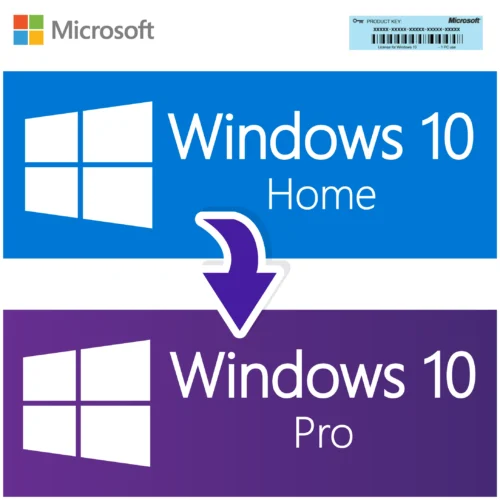
Can I upgrade from Windows 10 Home to Pro with this key, and what about Windows 10 Pro to Windows 11?
Yes to both. If your PC currently runs Windows 10 Home, you can enter this Windows 10 Pro key under Settings, Update and Security, Activation, Change product key, and Windows will switch the edition to Pro in place. The upgrade takes a few minutes, keeps your files and programs, and ends with a restart. You end up with an activated Windows 10 Pro and all the Pro features available. We also sell a dedicated Home to Pro upgrade product, which is the same outcome by a slightly different route, so either works. For the move to Windows 11, the Pro key you buy here also activates Windows 11 Pro. On a compatible PC you can run the Windows 11 Installation Assistant from Microsoft to upgrade in place, keeping everything, or do a clean install from USB. The activation carries across because the edition stays Pro and the hardware stays the same. The only upgrade that is not covered is a jump to a different edition family, such as Windows 10 Enterprise or Windows 11 Enterprise, which requires its own key. Before starting any upgrade, back up your files and make sure the machine has at least 20 GB of free disk space, as Windows keeps a copy of the previous installation for ten days in case you want to roll back.


Aiden Roberts (verified owner) –
I was worried about buying a digital license online, but this one worked perfectly. The email with the key arrived instantly, and activation was smooth. Definitely recommend to anyone needing Windows 10 Pro.
Andrew Wilson (verified owner) –
The license key activated successfully, and Windows 10 Pro works as expected. Delivery was fast, and the instructions were clear. I had one small issue during installation, but support helped me resolve it quickly.
Wyatt Adams (verified owner) –
Excellent service, the key was sent instantly. Highly recommend this seller.
Hannah Lee (verified owner) –
Worked exactly as promised. The key was valid, installation went without a hitch, and Windows 10 Pro is running great on my laptop. Very pleased with the quick delivery and excellent instructions.
Ava Walker (verified owner) –
Super quick and hassle-free. The key activated on my PC immediately